Author: JeanetteAbrahamsen

  • Broadcast News Writing

    Broadcast News Writing

    Don’t feel like reading this lecture? Click here for a video of me walking you through the key points.

    Want to be a great broadcast news writer? The most important responsibility is making sure your information is correct. Don’t get so caught up in getting breaking news on the air, that you forget the purpose of broadcast news is to inform the public.

    For a quick lesson on how to verify your information, read 8 ways to spot fake news.

    Break bad writing habits

    It takes practice to break the bad habits you created while filling long essays with fluff. The two big rules you must follow for broadcast and web writing are:

    1. be concise
    2. be conversational

    You MUST follow these two rules in every script and web story you write for this class. If you use big words and long sentences, your writing will not sound good, and you’ll waste people’s time.

    Write For The Ear

    You have one chance to get your message across because your audience won’t re-read your script if it’s unclear.

    Pay attention to how words sound when read out loud. This is especially important if you’re using too much alliteration like this:

    What can happen if you don’t read your script out loud?

    The San Francisco TV station KTVU could have been sued by Asiana Airlines had they not made a public apology for airing fake names of four pilots involved in a crash. Asiana decided not to pursue a lawsuit, but KTVU suffered a damaged reputation and fired several producers after the mistake went viral. Had the producers or anchor read the script out loud, they may have noticed the names were part of a racist “joke.”

    Conversational Writing

    Ask yourself if you’d really talk like that in real life. If not, don’t write it. Be as casual as possible without being offensive.

    Use common words, but use them very well. – Broadcast News Handbook

    Always use good contractions.

    • Good contractions:
      • That’s
      • It’s
      • There’s
    • Avoid:
      • That is
      • It is
      • There is
    • Do not use awkward contractions:
      • That’ll
      • It’ll
      • There’ll

    Read every script out loud. If you wouldn’t say it out loud, don’t write it.

    Rules

    There are too many rules to follow them all in every script. But you have to have a good reason for breaking any rule.

    Active Writing

    Active voice makes your writing stronger and more concise. When you write for broadcast, your goal is to use the least number of words to convey a message. Active writing cuts out unnecessary words.

    The actor is performing the action. So the noun should be before the verb. If you put “have” or “had” between the noun and the verb, you’re turning an active sentence into a passive one. If you need to brush up on your grammar, this is a good source:

    If you need to brush up on your grammar, Grammarly is a good source. I suggest browsing their online handbookGrammarly has a free plugin for Chrome browsers that checks your writing and may catch errors that your other spell check and grammar checks may miss.

    Examples:

    Active: Police arrested the gunman.
    Passive: The gunman was arrested by police.
    Passive: The gunman has been arrested.

    Active: I sent the email.
    Passive: I have sent the email.
    Passive: The email was sent by me.

    Active: He wrote the script.
    Passive: He has written the script.
    Passive: The script was written by him.


    New, Now, Next

    Don’t just tell audiences what happened in the past. In your lead line, tell them what’s happening now, what will happen next, and/or what’s new. Your lead line should include the newest information. If something is important enough to write about, it should have some effect on people in the future. Tell me what’s next first, not what happened in the past.

    Never use the word “yesterday” in your lead line.

    Use “yesterday” in the body of your scripts instead of the day of the week. For example, if today is Monday, August 31st and you’re describing an event that happened on Sunday, August 30th you should say “yesterday” instead of “Sunday.” If you’re talking about an event happening on Saturday, September 5th just say “Saturday.” Use dates when the day you’re referring to is more than a week away. The same goes for “tomorrow.”


    Words and phrases to avoid

    • “Incident.” It’s vague and not conversational.
    • “Non-life threatening injuries.” In real life, you’d say “should be ok,” “expected to survive,” etc.
    • “Resident.” Just call them people. No one ever says “resident” in real life.
    • “Apparent.”
    • “Alleged” or “allegedly.” This could get you in legal trouble.
    • “Fatal shooting” or “deadly shooting.” Just say “shot to death.”
    • “Suspect.” If someone shoots someone else to death, but police don’t know who the killer is, then they aren’t a suspect. The person they’re looking for is a “killer,” “murderer,” or “gunman.” A person only becomes a suspect once police specifically accuse him or her of being the killer.
    • “Has/had/have” When you write any of those words it should be a red flag. If you can delete the word, and the sentence still makes sense, then don’t use it. Sentences should be as short as possible. Has/had/have usually means your sentence is passive.
    • “Police involved shooting.” Soooo who was shot?
    • “Blaze.” Just say “fire” or “flames.”
    • “As well as.” Just say “and.”
    • False present tense. Don’t fake present tense if you’re referring to something that happened in the past. Here’s an example of a common newsroom error: “HE CRASHES HIS CAR… TAKES OFF… THEN POLICE CATCH HIM.” This is all false present tense. The writer intended to write to the video to make it seem current. Do NOT use false present tense. Instead, write a thoughtful and fresh script, and use correct grammar to describe the video. For example: “RIGHT NOW, A MAN IS UNDER ARREST FOR CRASHING HIS CAR AND RUNNING FROM POLICE.”

    Acronyms

    When you write acronyms, make sure to include a dash in between the letters.

    Example: The Internal Revenue Service is written IRS but you say it I-R-S out loud. So when you write for broadcast you should write “I-R-S” so the anchor doesn’t say “irs.”

    Common acronyms:

    • N-B-C
    • C-N-N
    • F-B-I
    • E-S-P-N
    • C-I-A
    • E-P-A
    • I-N-S

    Some acronyms are special like NCAA. This is actually said “N-C-double-A” not “N-C-A-A.”

    NAACP is “N- double- A-C-P.


    Symbols

    All symbols should be written out.

    Ex: $10 is written “TEN DOLLARS”

    EX: 1.2M is written “ONE- POINT- TWO- MILLION”

    Ex: 1,200,000 is written “ONE- POINT- TWO- MILLION”

    Dashes after each word help break it up for the teleprompter. If one word is too long then the prompter will cut it off and it will be hard to read.


    Attribute information

    Remember to attribute information. If a press release from the Tampa Police Department is telling you that they arrested John Smith for murdering his girlfriend, you must attribute.

    Ex: Police tell us John Smith murdered his girlfriend

    The only time it’s safe to say “John Smith murdered his girlfriend” is after he’s convicted in a court of law. This is the rule even if you see video or pictures of him committing the crime. If he hasn’t been convicted, then he’s only accused or charged.


    Here’s an example of a poorly written broadcast news script:
    bad-script-ok-shoot

    What’s wrong with this script?

    bad-script-ok-shoot-highlighted-words

    • “FATALLY SHOT” is not conversational
    • When was the last time you used the word MOTORIST?
    • 16TH should technically be SIXTEENTH… but I don’t think you really need the date at all do I’d delete it and just say “TWO WEEKS AGO”
    • “SHOOTING DEATH” is not conversational
    • When was the last time you used the word VEHICLE? Just write CAR, TRUCK, or S-U-V

    Here’s a better version:

    BAD SCRIPT BETTER OK.PNG


    What’s wrong with this script?

    DYLAN ROOF SCRIPT1

    1. Dylann Roof’s name should not be in the lead sentence because he’s not known by everyone.
    2. The fragment after “Dylann Roof” is for web or print, not broadcast. When you read the first sentence out loud, the fragment makes your voice pause in an awkward way.
    3. The lead is past tense. It should be new, now, next.
    4. There’s not enough context to explain why race matters.
    5. The writer assumed everyone knows what happened at the Charleston church shooting.

    Here’s a better version:

    dylann-roof-fixed-script


    How can you make this script better?

    NETLIX 1.PNG

    Remove these unnecessary and passive words:

    • BE ABLE TO
    • HAVE
    • CABLE PROVIDERS HAVE VIEWED NETFLIX AS A THREAT, AS PEOPLE TURNED TO THE INTERNET TO GET THEIR ENTERTAINMENT
    • IT’S
    • THAT SIGNS UP FOR

    Here’s the concise re-write:

    NETFLIX 2.PNG

    The first script is 23-sec. The second script is 13-sec. A high story count in a newscast is a big priority at most stations. 10 seconds here or there will add up to a big difference in an hour long show.


    What’s wrong with this script?

    (*FYI this script was written on Tuesday, August 1, 2016)

    FORMER LOS ANGELES COUNTY SHERIFF LEE BACA HAS CHANGED HIS PLEA ON CORRUPTION CHARGES.

    BACA WITHDREW HIS GUILTY PLEA ON MONDAY AND WILL GO TO TRIAL IN SEPTEMBER.

    IN JULY,  A FEDERAL JUDGE REJECTED BACA’S PLEA DEAL.

    JUDGE PERCY ANDERSON SAID THE AGREEMENT – WHICH WOULD HAVE SEEN BACA SERVING A MAXIMUM SIX MONTH SENTENCE – WAS “TOO LENIENT.”

    BACK IN FEBRUARY, BACA PLEADED GUILTY TO ONE FELONY COUNTY OF LYING TO THE F-B-I DURING AN INTERVIEW.

    F-B-I AGENTS AND FEDERAL PROSECUTORS WERE INVESTIGATING A SCHEME THAT BECAME UNOFFICIALLY KNOWN AS “OPERATION PANDORA’S BOX.”

    IT INVOLVED MOVING AN INMATE —  WHO HAD BEEN COLLECTING INFORMATION ON ALLEGED CORRUPTION — TO ANOTHER JAIL UNDER A FALSE NAME, WHERE MORE THAN A DOZEN DEPUTIES SUPERVISED HIM CONSTANTLY.

    ACCORDING TO PROSECUTORS, BACA FALSELY STATED THAT HE HAD NO KNOWLEDGE OF THE SCHEME.

    NINE OTHER FORMER SHERIFF’S DEPARTMENT OFFICIALS HAVE EITHER PLEADED GUILTY OR BEEN CONVICTED IN CONNECTION WITH THE SCHEME.

    BACA SPOKE TO REPORTERS MONDAY, OUTSIDE THE COURTROOM WHERE HE CHANGED HIS PLEA.

    1. This script is way too long.
    2. The lead uses the word “HAS.”
    3. The lead is past tense. It should be not new, now, next.
    4. There shouldn’t be spaces in between each sentence.
    5. Each sentence should be tabbed like the beginning of a paragraph.
    6. The writer should explain the corruption charge sooner and more precisely.
    7. The sheriff’s first name shouldn’t be in the lead sentence since he isn’t known by everyone. The man’s title is sufficient in the lead.
    8. The script says “MONDAY.” It should say “YESTERDAY.”
    9. This sentence has two separate thoughts, so it should be two separate sentences: “BACA WITHDREW HIS GUILTY PLEA ON MONDAY AND WILL GO TO TRIAL IN SEPTEMBER.” This should be “BACA WITHDREW HIS GUILTY PLEA YESTERDAY. HE’LL GO TO TRIAL NEXT MONTH.” (Note: any time you use the word “AND” ask yourself if you can just put a period and start a new sentence. Short sentences are always preferred.)

    What would you fix here?

    BAD SCRIPT

    1. The lead is written like a print or web sentence. This format is NEVER ok in broadcast because people don’t talk like that in real life. You’d never say a person’s name, then pause, then say a description about that person, then pause again, then say the point of the sentence last. If an anchor reads this sentence out loud, it will sound awkward.
    2. You should never use a person’s name in the first sentence unless they are known by every viewer. In this instance, you could argue that Jerry Sandusky is known enough that his name can go in the first sentence. But if that’s your argument, then why do you feel the need to explain who he is by saying “WHO WAS CONVICTED OF SEXUALLY ABUSING TEN BOYS?” This tells me that the writer isn’t confident that Jerry Sandusky’s name shouldn’t be in the lead line.
    3. I would fix it by re-writing it one of these ways:
      • A FORMER PENN STATE ASSISTANT COACH SAYS HE WAS WRONGFULLY CONVICTED OF SEXUALLY ABUSING TEN BOYS.
      • JERRY SANDUSKY WANTS A JUDGE TO OVERTURN HIS CHARGES FOR SEXUALLY ABUSING TEN BOYS.
    4. Another issue is not all numbers are written out. Occasionally an anchor will tell their producers they prefer numbers written numerically, but a writer should always write numbers out in words unless their anchor specifically requests numbers written numerically.
    5. I also don’t like that the writer used a sentence telling viewers that Sandusky spent an entire hour explaining why he didn’t testify, but the writer never tells the viewers what he said.

    What’s the difference between these two scripts?

    CLINTON FUNDRAISER SCRIPT 1

    CLINTON FUNDRAISER SCRIPT.PNG

    • The first script is a VO from the top. For the second script, I chose to include new information to beef up my lead. My lead in the second script is on camera since the VO b-roll is just of Leonardo Dicaprio. Unless my video is exceptionally compelling, I personally prefer to show my anchor’s faces at the beginning of each story.
    • The numbers are written out in the second script.
    • The long sentence from the first script is broken into three sentences in the second script.
    • There’s no reason for an exact date in the first script, so I changed it to “IN THREE WEEKS.”

    usane bolt

    • No new, now, next
    • It switches tenses: “was” “hits”
    • “Lands” is false present tense

    Fix this script

    Bad:

    BAD SCRIPT

    Better:

    better

    This script is more passive than I’d prefer, but it’s more conversational. This is a situation where I choose to break the “active writing” rule so that I can write the way people talk.


    Fix this script

    Bad:

    BAD

    These sentences are too long. The first sentence is not new, now, next.

    Better:

    BETTER.JPG


    Framing a Story

    One of the most important things about writing is understanding the power you have to frame a story. The words you chose and the order in which you chose to use them can change how people receive your message. Especially when discussing controversial topics, be aware of how you frame the story so you don’t come off as biased.

    The frame of your story is the structure that drills down on the point. Every story has the potential to take different directions depending on what the point is.

    These next two stories were written from the same report, yet framed differently:

    VERSION 1:

    FRAMING SCRIPT 1VOFRAMING SCRIPT 1SOTVO

    VERSION 2:

    FRAMING SCRIPT 2VOFRAMING SCRIPT 2VOSOT1FRAMING SCRIPT 2VOSOT2

    Poynter lists four ingredients to framing a story:

    1. News: event, new information, basic facts; it tells the reader what happened
    2. Context: background and history
    3. Impact: who benefits, who loses
    4. Human dimension: emotion

    When you lead with the impact, your stories become more powerful. Your audience understands why they should care.

    Stories usually begin with a lot of facts. You won’t use them all to tell your story. When you pick which facts to include, understand how each one will frame the story you are telling.

    http://rtdna.org/article/writing_tip_avoid_unneeded_modifiers

    Murdered or killed?

    Another very important aspect of writing is accurate word choice. For example, if  a man is caught on camera shooting a woman to death, he killed her. You cannot call it “murder” unless he’s convicted of murder. Murder also insinuates intent. If you accidentally kill someone, you are a killer, but not necessarily a murderer.

    Office or department?

    Also, remember to use correct titles for military and law enforcement. For example, police officers work at the police department. But sheriff’s deputies work at the sheriff’s office. If you say “police office” or “sheriff’s department” you will get calls and comments. This could hurt your credibility and hurt your chances of getting good jobs.

    Here’s why this is a common mistake: police=officer while sheriff=deputy.

    Soldier or Marine?

    • Army: Solider
    • Navy: Sailors
    • Marines: Marines *not soldiers
    • Air Force: Airmen/women
    • Coast Guard: Coast Guardsmen

    All can be called “troops.”

  • Breaking News

    Breaking News

    Accuracy vs Speed

    Being fast and accurate isn’t always as easy as it sounds. News managers put a lot of pressure on producers, anchors and reporters to spit breaking news out as fast as possible. A manager’s priority is to get breaking news online and on air faster than the competition. But speed lends itself to errors when there’s not enough time to properly confirm the facts.

    One example that made headlines was when CNN wrongly identified the Boston marathon bomber. I was an assistant news director at the time and we were doing wall-to-wall live coverage of the attack. CNN actually aired a man’s picture and claimed he was arrested for the bombing. I told my producers to wait until we could confirm it. We searched online and couldn’t find any credible reason to believe that CNN was right. And CNN is one of the most credible news sources in the world. Most American TV stations actually pay to subscribe to CNN Newsource because it’s truly considered reliable. FOX and AP even reported on CNN’s “suspect.”

    Turns out, they had the wrong guy. So who cares? That guy cared a lot. In minutes he was swarmed with hate messages from hundreds of people assuming that CNN was right. His name and picture will forever be tied to the bombings online even after CNN retracted the story.

    Another example is when several news organizations mistakenly reported that Congresswoman Gabriel Giffords was killed in the Tucson, AZ attack. HBO’s “The Newsroom” used the event as the topic for one of their episodes. This is one of those shows I’m always asked about because viewers wonder how realistic “The Newsroom” is. Though there are some things I would change with the show to make it more authentic, it actually does a pretty good job of representing what happens in a newsroom.

    Right now in the broadcast news world, breaking news is the biggest driver to boost ratings. Though some shops still focus their brand on storytelling, many switched to breaking news because it’s more immediate. With the rise in push notifications, social media, and news apps, it’s now more important to be fast with breaking news. But that can be difficult when you don’t have a press release or web story to write around.

    In most breaking news scenarios you will be interacting with a PIO (public information officer). This spokesperson is usually going to represent a county or city law enforcement agency like a police department or sheriff’s office.

    Some agencies are more media friendly than others. Here is an example from the Polk County Sheriff’s Office that not only gives you an idea of the type of information you will get in a press conference but also shows you the relationship the media has with law enforcement.

    At the end of the day, we need each other to do our jobs well.

    Some officials have great TV personalities. Some are very active on social media. Others are not. Get to know the official leaders in your viewing area. Check out Polk County Sheriff Grady Judd on Facebook, Twitter and YouTube.

    Sometimes you want to use official sound or quote. Sometimes you have more emotional and personal interviews. Sometimes official quotes is all you have.

    Examples of breaking news:

    As you watch pay attention to:

    • Lead writing
    • Urgency
    • Power words like:
      • Breaking news
      • New Information
      • Right now
      • Just (as in something just happened)
    • Graphics
    • Sounds and nats
    • Pacing of scripts and visuals
    • How stories flow from one topic to the next
    • Story choice
    • Multi-platform station branding and pushing ahead. Where viewers can get more info online and on apps
    • How they tell you what they know, and what they don’t know

  • You Took Your Camera Out Of Auto, Now What?

    You Took Your Camera Out Of Auto, Now What?

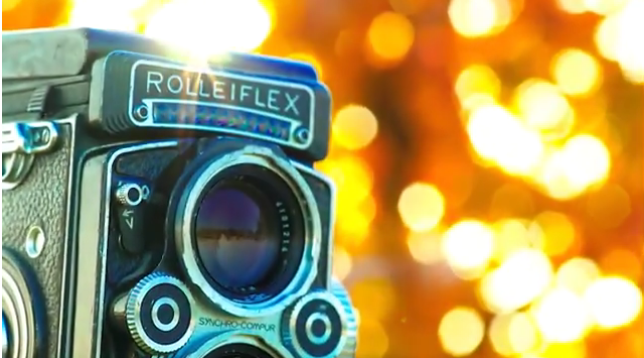
    There are hundreds of different cameras out there but most of them have some key components in common. In this lecture, I will go through some terminology for your fancy camera and give you some tips on how to use it. I will use a Panasonic AG-HMC 150 and DSLR as examples.

    If you have some extra time, I highly encourage you to check out Pro Video Tips on Lynda. This is free for USF students. Just log in with your USF email.

    If you’d like a refresher on videography basics like composition, framing and angles please check out the Photography & Videography Basics lecture. The most important reminders from that lecture:

    • Lead room, head room and the rule of thirds are crucial.
    • Shoot extreme close ups. Then shoot more. And more. Extreme close ups, extreme close ups, extreme close ups. I’ve never told a student their video had too many extreme close ups. Please make me proud by being my first.
    • Once you hit record, don’t touch your zoom.
    • If you really want to move your camera while you’re recording trucking looks a lot more professional than panning or tilting. You don’t need expensive equipment, a towel or skateboard will do the trick.
    • Don’t shoot an interview or standup in the shadow of a tree and don’t over backlight your interviews unless you’re trying to create a silhouette.

    Good video needs good lighting so don’t forget to watch the Lighting Tips & Tutorials lecture.

    How to use a Panasonic AG-HMC 150

    Step 1: Select your filter.

    Filters are like sunglasses for your camera lens. You may look super cool wearing sunglasses inside, but your video won’t. If you’re inside, you shouldn’t use a filter. Only use a filter when it’s super sunny outside. Otherwise, you will reduce the quality of your video.

    If you’re breaking this rule, do it right. Watch how you can use a combo of filter and reflection to shape light here. I don’t suggest attempting this until you master the rest of the basics so you have more control.

    Step 2: Turn on your zebras

    Zebra Pattern is a camera feature that overlays some stripes into the image that indicates exposure levels. It shows a striped pattern on the areas that are close to overexposure. If your video is overexposed, there’s too much light coming into your camera. Your video will be too bright and lack detail. Your zebras will guide you in deciding how open or closed your iris should be.

    Step 3: Adjust your iris. 

    Your camera’s iris kind of works like the iris of your eye. When it’s too sunny, your pupils will get smaller. When it’s dark out, your iris will open your pupils to let in more light so you can see more details. Auto iris works like your eye. But you should control your camera’s iris, so take it out of auto and adjust it to each individual shot.

    The only time you want to add gain is when your iris is all the way open, and it’s still not bright enough. Gain will make the image more grainy, but it may be helpful at night when the environment is super dark and you don’t have extra lighting available.

    Step 4: White balance

    Always white balance before you shoot. The color temperature of lights varies greatly. It’s important to white balance so your camera will display true whites despite if it’s in the sun light, fluorescent lights or studio lights. If your video looks like there’s a blue or red tint, white balance again.

    Place a true white card in the area you intend to shoot so the lighting hitting the white card is the same lighting you’re planning on standing in. If you white balance in a shadow, but shoot in the light, your white balance will not be accurate.

    Step 5: Focus

    The Rock says you need to focus! If your shot is out of focus, it better be on purpose. To make sure your focus is on point, zoom all the way into the person or thing you’re trying to focus on. Then focus. Then zoom out before you hit record.

    Rack Focus

    A cool technique is called a rack focus, or pull focus. That forces your viewers to focus on one thing, like this man’s face. Then, you adjust the focus so their eyes are drawn to the gun. It’s easier to do this with a longer lens. But you can still create this effect with your Panasonic if you adjust the physical distance between the camera and the item or person you’re focusing on.

    DON’T FORGET TO MAKE SURE YOUR LENS IS CLEAN!

    The worst feeling is having a great shoot on the beach to come home and find grains of sand on your camera lens. Your video will look bad and your poor camera will not be happy with you.

    Beyonce may look amazing in the rain, but your camera lens (and your video) will not. Be extra focused on cleaning your camera lens often if you do shoots on the beach or in the rain.

    Tutorials

    Extra tips

    Shooting a performance or speech under stage lights? Want more examples of how to use zebra? Here’s how to use proper exposure by adjusting your aperture/f-stops.

    Cinematic Look

    After you’ve mastered the basics, I encourage you to experiment with frame rates to understand how your camera works and to get creative looking video. WARNING: Don’t test this out on an important shoot. Experiment before you commit to shooting something important in a different frame rate so you can learn from your mistakes and not risk ruining all of your crucial footage.

    DSLR Camera Tips

    DSLR cameras are used for still photography. More videographers are using their DSLR cameras to shoot video because it gives the video a different look. DSLRs work a little differently than the camcorder we just looked at. Here are some videos that may help you understand how to master your DSLR.

    More Resources

    This tool will help you figure out how your fancy camera actually works

    Camera Vocabulary

    B&H has a great list in their glossary I encourage you to review. Here are some of the most common terms you should know.

    1080p

    Also known as “Full-HD,” 1080p is a shorthand term for video recorded at 1920 lines of horizontal resolution and 1080 lines of vertical resolution, and optimized for 16:9 format playback. The “p” stands for progressive, which means all of the data is contained in each frame, as opposed to “interlaced” (i), in which the image data is split between two frames in alternating lines of image data.

    1080i

    Similar to 1080p video, the “i” stands for “interlaced,” which differs from 1080p (progressive) video in that each frame contains two fields of data (but typically has double the frame rate). While progressive video is too large for broadcast, 1080i exists primarily for broadcast use, as the lower frame rate allows the signal to be sent over 60 Hz systems. The signal is 60i for NTSC or 50i for PAL.

    Anti-Shake (Image Stabilization)

    Also known as Image Stabilization (IS), Vibration Reduction (VR), or simply image stabilization, anti-shake technology is a method of reducing the effects of camera movement on the photographic image. Image stabilization can be achieved in the lens or in the camera body. In-camera image stabilization is achieved by mounting the camera sensor on a “floating” micro-geared stage that rapidly shifts the sensor in the opposite direction of the camera’s movement, which effectively cancels out the image movement. With in-camera image stabilization, the benefits of the system can be realized with any attached lens.

    The alternative method of canceling camera movement is by employing a gyroscopically driven “floating” element in the rear portion of the lens that rapidly shifts the element in the opposite direction of the camera movement. Needless to say, either process is quite complex and requires extreme high-speed data processing coupled with precision lens/sensor movements to achieve the desired effect.

    The ultimate benefit of image stabilization technology is that it enables you to handhold a camera several shutter speeds slower than non-image-stabilization-enabled cameras or lenses. For more on this subject, see the explora article, “Image Stabilization: When to Use it and When to Turn it Off.”

    Aperture

    The adjustable opening—or f-stop—of a lens determines how much light passes through the lens on its way to the film plane, or nowadays, to the surface of the camera’s imaging sensor. “Faster” lenses have wider apertures, which in turn allow for faster shutter speeds. The wider the aperture is set, the shallower the depth of field will be in the resulting image.

    Wider apertures allow for selective focus, the ability to isolate your subject from background and foreground elements within the frame. Conversely, if you stop the lens aperture down to its smallest openings, you increase the depth of field, or the amount of focus from foreground to background. Generally speaking, most lenses display the highest level of resolving power when set to about three stops down from the widest aperture.

    The term “highest level of resolving power” does not mean the greatest level of depth of field. It just means what is in focus cannot be rendered any sharper by that particular lens, regardless of the image’s depth of field.

    For more on aperture, see the explora article, “Understanding Aperture.”

    Autofocus

    The ability of the camera and lens to keep the subject in focus during an exposure. Autofocus can be Continuous, meaning focus is maintained regardless of where it moves within the frame, or Single, meaning the point of focus is locked regardless of where the subject may move. For more on this subject, see the explora article, “How Focus Works.”

    AWB (Auto White Balance)

    An in-camera function that automatically adjusts the chromatic balance of the scene to a neutral setting, regardless of the color characteristics of the ambient light source. For more on this subject, see White Balance, below, as well as this explora article, “Understanding White Balance and Color Temperature in Digital Images.”

    Although AWB generally does an acceptable job of cleaning up the color balance of a scene, there are times when AWB should not be used. Examples of times you should avoid AWB are sunrise and sunset—such scenes would lose their warm qualities with the camera set to AWB. When capturing sunrises and sunsets, the camera should be set to Daylight to maintain the warm tonalities that make dawn and dusk so visually inviting.

    Color Temperature

    A linear scale for measuring the color of ambient light with warm (yellow) light measured in lower numbers and cool (blue) light measured in higher numbers. Measured in terms of “degrees Kelvin*,” daylight (midday) is approximately 5600K, a candle is approximately 800K, an incandescent lamp is approximately 2800K, a photoflood lamp is 3200 to 3400K, and a midday blue sky is approximately 10,000K. For more on this subject, see the explora article, “Understanding White Balance and Color Temperature in Digital Images.”

    Depth of Field (DOF)

    Literally, the measure of how much of the background and foreground area before and beyond your subject is in focus. Depth of field can be increased by stopping the lens down to smaller apertures. Conversely, opening the lens to a wider aperture can narrow the depth of field. For more on this subject, see the explora article, “Depth of Field, Part I: The Basics.”

    Digital Zoom

    Unlike an optical zoom, which is an optically lossless function of the camera’s zoom lens, digital zoom takes the central portion of a digital image and crops into it to achieve the effect of a zoom. This means that the existing data is not enhanced or added to, merely displayed at a lower resolution, thereby giving an illusion of an enlarged image.

    DSLR (Digital Single Lens Reflex)

    A single lens reflex (SLR) camera that captures digital images.

    Exposure

    Exposure is the phenomenon of light striking the surface of film or a digital imaging sensor. The exposure is determined by the volume of light passing through the lens aperture (f/stop) combined with the duration of the exposure (shutter speed). For more on this subject, see the explora article, “Understanding Aperture.”

    The proper exposure, which is best determined using a light meter, can be established in a number of exposure modes including manual, program (automatic), shutter priority, and aperture priority. For more on this subject, see the explora article, “Understanding Camera Shooting/Exposure Modes.”

    F-Stop (Aperture)

    A term used to describe the aperture, or diaphragm opening of a lens. F-stops are defined numerically:  f/1.4, f/5.6, f/22, etc. Larger, or wider apertures, allow more light to enter the lens, which calls for faster shutter speeds. “Faster” (wider) apertures also allow for selective focus (narrow depth of field), while slower (smaller) apertures allow for greater depth of field. Wider apertures are preferable for portraits, while smaller apertures are preferable for landscapes. For more on this subject, see the explora article, “Understanding Aperture.”

    Gain

    Gain refers to the relationship between the input signal and the output signal of any electronic system. Higher levels of gain amplify the signal, resulting in greater levels of brightness and contrast. Lower levels of gain will darken the image, and soften the contrast. Effectively, gain adjustment affects the sensitivity to light of the CCD or CMOS sensor. In a digital camera, this concept is analogous to the ISO or ASA ratings of silver-halide films.

    ISO (International Organization for Standardization)

    Film speed rating expressed as a number indicating an image sensor’s (or film’s) sensitivity to light. The higher the number, the more sensitive and faster the sensor (or film) is. Although traditional cameras don’t have a specific ISO rating, digital cameras do as a way to calibrate their sensitivity to light. ISO is equivalent to the older ASA.

    Most digital cameras have native (basic) ISO ratings of about 100, but can be “extended” far beyond this base rating in order to capture sharp imagery under lower lighting conditions. When shooting at extended ISO levels, image quality begins to suffer in terms of sharpness levels, noise, contrast, and added “graininess.”

    Lossy

    A data-compression technique that can reduce the detail of a digital image file. Most video compression techniques utilize lossy compression. See non-lossy or lossless.

    Racking Focus

    Racking focus is the technique of directing the attention of the viewer of video footage by shifting the focus of the lens from a subject in the foreground to a subject in the background, or vice versa.

    SD Card (Secure Digital)

    Far smaller than CompactFlash (CF) cards, Secure Digital memory cards have enabled camera manufacturers to further reduce the size of digital cameras. They are also commonly found in cell phones, PDAs and other small electronic devices that incorporate removable memory. Newer-generation (and faster) SD cards include SDHC and SDXC memory cards.

    Shutter

    A mechanism in the camera that controls the duration of light transmitted to the film or sensor. Leaf-shutter lenses, which include most view camera lenses and many medium-format lenses, contain their own proprietary shutters.

    Shutter speed

    The length of time the shutter remains open when the shutter release is activated, most commonly expressed in fractions or multiples of a second.

    White Balance

    The camera’s ability to correct color cast or tint under different lighting conditions including daylight, indoor, fluorescent lighting, and electronic flash. Also known as “WB,” many cameras offer an Auto WB mode that is usually—but not always—quite accurate.

  • Reporter Stand-Ups

    Reporter Stand-Ups

    Stand-ups can help you connect with your viewers, or they can ruin your story if done poorly. Stand-ups should enhance the story, not slow it down with an uncomfortable walk to nowhere.

    Some stand-ups are live, others are pre-taped. Some pre-taped stand-ups are called looklives because they’re meant to look like they’re live. Those are usually at the beginning (intro) and at the end (tag) of the package. Stand-ups in the middle of a package are called bridge stand-ups.

    Here are some tips for shooting better reporter standups:

    • Use a wireless lav microphone so your hands are free.
    • Be active and demonstrative. Touch stuff. Pick stuff up.
    • Show your audience something that helps explain the story in a creative way.
    • Pay attention to what’s behind you. Your background must be relevant to the story. Your background shouldn’t distract the viewer from what you’re saying.
    • Pay attention to the sounds around you. Do they tell your story, or detract from it?
    • Switch up your angles. Get creative. Try putting your camera on something that’s not a tripod.
    • If you pan or tilt, there better be a good reason.
    • Don’t zoom while you’re recording *unless there’s a great reason.
    • Write conversationally so you sound natural. If you’re going to memorize your script, you better be a good actor, otherwise, just paraphrase.
    • Avoid feeling like your standup needs to be long. Five to 10 seconds is great! It’s less to memorize and easier to execute.
    • Dress up or down depending on your story. If you’re wearing your suit while doing an active standup in the gym, it’s going to look super awkward. Unless your boss makes you wear professional attire at all times, I suggest matching your clothes to your topic.

    Standups were traditionally used in TV news but have been increasingly popular on social media. If your standup is airing on TV, shoot it horizontally. If your standup will be in a social media story or IGTV, shoot it vertically. Social media standups often have stickers and captions, where most TV standups are a bit more traditional.

    Take a look at my social media reporter reel here:

    Joe Little is one of my favorite MMJs. He is known for his creative stand-ups. Here are a few of his stand-ups to get you thinking creatively.

    Shooting creative stand-ups starts before you get in front of the camera. Start planning your stand-ups as soon as possible. Few reporters can just wing it and make it look creative. You will notice a drastic improvement in the quality and creativity of your stand-ups when you start planning them ahead of time.

    Yusuf Omar is incredible at being visually engaging. Check out how active he is in his reel from 2014.

    Samuel Burke is one of my favorite international and bilingual reporters who does a great job thinking of active and creative stand-ups. He also enjoys experimenting with social media and tech.

    My former student Zach Wilcox recorded this reporter reel less than a year after he graduated from USF.

    Reporter stand-ups don’t have to be super complicated to be engaging. Take a look at an intro standup my student Josee Woble did for a pkg on the USF bookstore. It just takes a little planning and concise writing to create an active stand-up.

    Watch these reporter stand-ups and keep in mind the planning that went into these scenes:

    What not to do

    Here are the biggest mistakes most young reporters make:

    • hold stick mics
    • shoot all standups from the exact same height and distance
    • fail to use conversational writing
    • stand in the shadow of a tree
    • fail to understand continuity in shooting and editing
  • Beat Reporting

    Beat Reporting

    Beat reporting, as opposed to general assignment reporting, gives journalists the opportunity to focus on one area. Many beats are defined geographically, others focus on important issues like health, education or the environment.

    Beat reporters develop in-depth knowledge. They get to know experts related to their beat and create a thorough contact list of people to help them tell compelling and credible stories. Beat reporters should stay up to date on all major developments about their topic.

    Being a beat reporter allows journalists to delve much deeper and pushes them to uncover enterprise stories. Beat reporters help bring context to stories and explain how each story affects the audience.

    My biggest piece of advice is to document everything. You will forget a person’s name. You will misplace their contact information. You should write down what you did before you leave work every single day. I kept a word doc open all day and would add notes as I worked. Write down every interaction you have in person, on the phone, via email or social media. Include their name, title, phone number, email address, physical address and photo if possible. Include any links to related stories. This is especially helpful when there’s breaking news on your beat. But it also pays off in the long run because you can search for key words that perhaps never made it to your publication. This will help you with enterprise and in-depth stories.

    I also encourage you to keep a digital folder with story ideas. Don’t rely on stacks of messy papers. This old school reporting style is inefficient. Keep everything on your computer so you can easily search. Also, back up everything onto external hard drives in case your computer crashes or gets hacked.

    A great reporter always leaves a story with a new one in mind. While you’re conducting your interviews, ask people if they know of any other stories that you should look into. Most people like being useful and will often give you story ideas if you ask them. I also encourage you to ask your followers on Twitter and Facebook for story ideas and people to interview.

    Not sure where to start? Bookmark USF experts who you can reach out to with questions about your beat. Congratulations, you just started.

    Poynter’s NewsU provides a free resource for journalists called “Introduction to Reporting: Beat Basics.” Here are the key suggestions for beat reporters:

    • Make a contact list of all officials, activists, and experts related to your beat.
    • Add calendar alerts to remind you to regularly check in on people related to your beat.
    • Follow related people and organizations on social media.
    • Bookmark websites you should check regularly.
    • Add related meetings to your calendar. Decide which meetings you’ll attend.
    • Which public records and databases are the most helpful?
    • Who are interesting (non-official) people you can feature?
    • What are the most important issues on your beat?

    Here are some of the resources Poynter suggest you use regardless of the beat you have:

    Courts and Criminal Justice Links

    Local Government Links

    Neighborhood or Suburban Links

    Police and Public Safety Links

    A Closer Look At 3 Beats: Environment, Health, and Education

    Environment Beat

    Being on a beat like this means foreseeing cause and effect. There are times when you’re stories will just be a reaction to news events. But, your goal should be to uncover new stories.

    One example is understanding that things like sea level rise will inevitably hurt coastal property value. When the value of properties drops, the amount of money local governments can collect from property taxes drops too. What does that mean for your audience? Property taxes pay for schools, police, fire departments, and much more. So the quality of those services will also drop unless local governments find ways to make up the loss. Governments often turn to tax hikes to meet the basic needs communities rely on. So, ask yourself again, how does sea level rise affect your community?

    If you’re on an environment beat, you may find some inspiration and context in Al Gore’s 2017 film “An Inconvenient Sequel.” I encourage you to check out the website and pay attention to the multimedia layout. Draw inspiration from the story ideas and visual representation of data. Part of providing value to your audience is informing them on how they can take action if your story inspires them to do so. Here you’ll find a list of ways your audience can make a difference like:

    • how to lower your carbon footprint at home
    • where to join a town hall meeting
    • how to reach your governor about state regulations
    • how to push for clean energy in your city
    • find your elected officials’ stance on climate action

    You should also subscribe to get emails from the National Wildlife Federation.

    “An Inconvenient Sequel” is an update to the documentary “An Inconvenient Truth” that Gore helped create in 2006. You can find dozens of environmental resources to use in your reporting here: http://an-inconvenient-truth.com/links-and-resources/  

    Health Beat

    If you’re on a health beat, you may want to watch the documentary “Fed Up.” The film was released in 2014. The trailer got more than 11 million views on YouTube by 2017. There’s clearly an interest in this content. The creators of this film did an exceptional job making easy to understand visuals about sugar in foods and what it does to your body. I encourage you to create similar multimedia content to help your audience quickly consume complex information.

    The film’s website has a list of sharable statistics like:

    • Individuals who drink one to two sugar-sweetened beverages per day have a 26 percent higher risk of developing type II diabetes.
    • 98% of food related ads that children view (3920/year) are for products high in fat, sugar, sodium.

    The site also lists some of their sources:

    1. Kick the Can
    2. Lasater G, Piernas C, Popkin BM. Beverage patterns and trends among school-aged children in the US, 1989-2008. Nutr J. 2011;10:103
    3. Archives of Pediatric Adolescent Medicine: Trends in the nutritional content of television food advertisements seen by children in the United States
    4. American Academy of Pediatrics
    5. Obesity Action Coalition
    6. OnlineNursingPrograms.com Via: Forbes
    7. Robert Wood Johnson Foundation: Food and beverage marketing to children and adolescents research brief
    8. Whole Health Source

    Looking for story ideas? Here are just a few you can find on the “Fed Up” website.

    Education Beat

    Poynter suggests using the following resources on your education beat:

    Higher Education

    The CNN film “Ivory Tower” looks at student debt and higher education institutions. It reveals how the business of higher education changed in the past few decades.

    PBS NewsHour interviewed filmmaker Andrew Rossi about the rising costs and if college is still worth it.

    CNN’s website provides several breakout stories related to the film. There are lots of powerful statistics and animations. Much of this information was collected in 2014, so you’ll want to confirm updated numbers if you use any of these. I encourage you to review them here: http://www.cnn.com/videos/us/2014/11/18/ivory-tower-education-debt.cnn/video/playlists/ivory-tower/

    Here are some of the videos I found most valuable:

    College Sports

    The EPIX original documentary “Schooled: The Price of College Sports” interviewed former student athletes and experts about the business and controversy around college sports.

    Campus Sexual Assault

    The documentary “It Happened Here” explores campus sexual assault. The film features five young survivors and shows what they’re doing to change the way schools handle sexual assault.

    Here are some resources from the film’s website:

    Public Schools
    TEACHED

    A great resource for education reform is TEACHED. The non-profit project is a series of films about racial inequality in America’s education system. I encourage you to raise your awareness by checking out their videos. They may inspire you to think of new story ideas.

    Here’s one of the video descriptions from the TEACHED YouTube channel:

    The latest in the TEACHED short film series, “Code Oakland” examines the evolution of Oakland through the eyes of social entrepreneurs determined that youth of color not be left on the sidelines as Silicon Valley expands into the city that is home to the second largest black community in California. Kalimah Priforce, whose first success as a social justice rebel was a hunger strike at the age of eight, and Kimberly Bryant, a successful electrical engineer turned founder of Black Girls Code, are organizing large-scale hackathons to teach youth how to redesign the future through coding. Joined on the national stage by #YesWeCode founder Van Jones, their work represents the cusp of a movement changing both the face and use of technology in America. But is Silicon Valley ready to be hacked?

    A National Disgrace

    Dan Rather created an investigative documentary about public schools called “A National Disgrace.” Here is the full film and description from The Rathers Reports YouTube channel:

    This special two-hour report documents a pivotal year and a half in the Detroit Public Schools, set against a backdrop of history and the plight of one student desperate to succeed despite the odds. “A National Disgrace” is part historical documentary, part investigative report and part personal profile detailing the political strife, corruption, and systemic breakdown during the tumultuous 2009-2010 school year when the state of Michigan imposed new leadership on the school district. The result is a searing portrait of a local tragedy that asks the question, does the situation in Detroit demonstrate how we view public education? Is the real “national disgrace” the fact that something like this could happen at all?

    Segregation

    Charter Schools

    Standardized Testing

    Additional Resources

    Additional Reading

    Reporter Organizations

  • Multimedia Storytelling

    Multimedia Storytelling

    New technology is allowing journalists to tell stories in memorable new ways. Multimedia storytelling is an immersive and interactive tool to give your audience control over which mediums they prefer. Some stories let audiences pick if they’d rather listen to audio, watch video, look at an infographic or read text. When audiences experience stories using several of their senses, they are more likely to be emotionally affected, and more likely to remember the message.

    Let’s take a look at a few examples of how journalists combined different mediums to tell impactful stories.

    Samuel Granados, Zoeann Murphy and Kevin Schaul talk about The Washington Post’s two 2017 Digital Storytelling Contest winning pieces of work; A New Age of Walls (Innovative Storytelling, first prize) and The Waypoint (Innovative Storytelling, second prize).

    Experience The Waypoint: washingtonpost.com/graphics/world/lesbos/

    Read more about The Waypoint at worldpressphoto.org/collection/multimedia/2017/innovative-storytelling/the-waypoint

    Experience A New Age of Walls: worldpressphoto.org/collection/multimedia/2017/innovative-storytelling/a-new-age-of-walls

    Read more about A New Age of Walls at worldpressphoto.org/collection/multimedia/2017/innovative-storytelling/a-new-age-of-walls

    Find out more about World Press Photo: worldpressphoto.org/about/mission


    The New York Times was recognized for their multimedia story “Snow Fall.” A lot has changed since 2012, but the story was pretty revolutionary at the time. It combined videos, photos, maps, audio, graphics and a tremendous amount of text. It also got millions of views in just a few weeks.

    Screen Shot 2017-09-18 at 9.59.35 PM.png


    Al Tompkins created this video to show how the Las Vegas Sun told the story of hospital errors.


    Two more examples of multimedia storytelling:


    Multimedia Tutorial

    All students at the University of South Florida have free access to full Lynda.com courses. I encourage you to refer to the full courses. Some of the tutorials in this lecture show you key pieces of multimedia tutorials from Lynda.

    You can use these tools on their own, but they become more powerful when used together on a website you can build on WordPress. Storify is a more simple, user-friendly digital storytelling tool so you may want to start there. But don’t be afraid to start your own WordPress website. There are lots of free templates that will make it easier even if you aren’t comfortable coding HTML. Just make sure you know if you’re using WordPress.org or WordPress.com. You can also subscribe to a business plan that gives you more plugin and template options for your multimedia site.

    Videolicious

    Canva

    Adobe Audition

    Audacity

    YouTube Audio Library

    Embedding Video & Audio in WordPress

    Adobe Premiere Pro

    There are many more video editing tutorials here. Here’s a beginner tutorial:

    Additional Tools:

  • TV News Stories

    TV News Stories

    Watch and learn

    One of the best ways to sharpen your TV news skills is to watch and learn. Look for examples of award-winning stories. Find stories from different markets in different regions to get a wide variety of styles.

    While you watch the following videos, pay attention to:

    • video angles
    • video framing
    • lead room and headroom
    • audio and silence
    • lighting
    • close-ups
    • emotion and how it makes you feel
    • story framing
    • sentence structure and script pacing
    • sound bites
    • editing

    Digital Video Style

    TV news stories tend to follow a specific template. Most stories that air on television broadcasts feel like they have a similar style. I’ve had managers who wanted to maintain this traditional style. I’ve also had others who challenged our creativity and were more flexible. Regardless of whether you plan to make news stories for TV or web, we have a lot to learn from one another. Take a look at some alternative styles and see if you can glean inspiration to make your videos a bit more unique.

    Great Big Story is one of my favorite new companies. I encourage you to follow them on social media and check out their YouTube videos. Pay attention to their story choices, video production, video editing, audio/music, and text.

    Let’s compare

    Here’s an example of how they told the story of Mexican-American families separated by the border.

    The company On Demand News told a similar story in a very different way. Take a look at the differences between the two stories. Look at the difference between the videography. How is their pacing different? How did each make you feel?

    WFAA aired the story too. The story was the same, but it felt much different. Which story left you with a lasting impression? Which story evoked more emotion in you? Why?

    Alright, this is the last one, I promise. Check out ABC News’ version.

  • Tips For Conducting Meaningful Interviews

    Tips For Conducting Meaningful Interviews

    What’s The Point?

    Why do journalists interview people? The basic interview question is meant to confirm facts. This is often where credible information comes from. But, the real story comes from emotions.

    Traditional journalists should remain objective in their stories. So, we rely on real people to convey real feelings. Quotes that come from interviews should reach out to your audience in a way that a journalist often shouldn’t. These subjective and emotional quotes make your stories more memorable and impactful.

    When your audience feels something, your story is more likely to make a difference. Your audience will carry the story with them. It will change the way they look at the world. It will hopefully make them more empathetic. A journalist’s words should make the audience more informed. The quotes should make the audience remember they’re human.

    Quick Tips

    This lecture is not necessarily relevant in every single interview scenario. You will need to change your interview technique depending on if your interview is live or pre-recorded. If you plan to edit your interview, you will use different styles than if your interview is live-to-tape. If you’re interviewing a violent criminal, you may want to be a bit more careful than if you’re interviewing a crime victim. But here are some quick tips that can be useful in most interviews:

    • Prepare. Research the person you’re going to interview. Look at their resume and their social media presence. Can you find a bio about them online? Look for details that may reveal an emotional story. Have they moved around a lot? How did that affect their relationships or family? Did they have a gap in their work experience? Did that create financial struggle? Or did they use the time to travel the world?
    • Write a list of questions. Sometimes you’ll forget what you wanted to ask them. Sometimes the person you’re trying to interview will only give you one-word answers. A list of questions is a good back up to keep the conversation going.
    • Before you start the interview, remind them to ignore any recording devices like cameras and microphones. Tell them just to look at you because some may worry that they’re expected to look at the camera (and that usually looks super awkward).
    • Make them feel at ease by warming them up with friendly conversation. Be charming and human. Calm their nerves.
    • Listen to what they say. This is harder than it seems, especially if you prepared and brought your list of questions. Don’t be so married to your preparation that you miss opportunities to coach them to elaborate on interesting nuggets of information.
    • Swap verbal reactions with physical ones to avoid adding distractions in your audio. In a conversation, you often react with sounds like “hm.” If you plan on pulling sound bites from your interview audio, avoid making sounds when people are talking. This is harder than it seems and takes practice because it’s often polite to engage verbally in conversations while others are talking. Focus on making eye contact and expressing your engagement in non-verbal ways like smiles or frowns. If your interview will air in its entirety, this isn’t as big of an issue.
    • Trade personal stories. Sometimes sharing something about yourself will increase intimacy and encourage the person you’re interviewing to open up to you.
    • What you should ask during (non-live) interviews:
      • Please say your first and last name and then spell it (you don’t want to mispronounce or misspell their name so don’t forget this step). You may also want to ask them for their occupational title.
      • How did that make you feel?
      • Do you have anything you want to add?
      • Are there any other people I should talk to about this?
      • Do you know of any other issues or people I should look into covering in the future?

    Interviews Are Uncomfortable

    Learning how to interview is uncomfortable because talking to strangers is uncomfortable. You’re not alone. Even the most seasoned journalists feel a bit nervous when they start an interview with someone they don’t know.

    You may be inclined to hide your discomfort behind a wall of professionalism. Don’t. Let yourself be vulnerable. When you walk up to a stranger and start talking to them, they’ll feel uncomfortable too. Reporters are intimidating. People aren’t used to talking to the media. So be a real human and smile. Be nice. Be grateful. Connect with them like a normal human being. Find something you have in common to break the ice. Have a conversation. You will feel less anxious, and your interview will likely result in a better story.

    You will get rejected, often. Welcome to journalism. It’s sometimes a knee-jerk reaction for a person to decline to talk to you. You could say “thanks anyway.” Or you could understand that perhaps a bit of persistence and patience may get them to open up to you. If someone says they don’t want to be interviewed, be polite and vulnerable. Stick around a bit and just talk to them. Maybe they’ll explain why they don’t want to be interviewed. Maybe they’ll change their mind. Don’t be rude.

    The rules change when you’re interviewing a corrupt lawmaker, for example. Of course, they won’t want to answer your questions. It’s your job to keep asking. Sometimes you have to be aggressive because lawmakers have a responsibility to your audience, and so do you. But that interviewing style is for a different lecture. When you’re trying to interview a “regular” person, try nicely to make a connection with them.

    In my experience, most people want to be listened to. Don’t treat people like props or quotes. Give them the opportunity to share what they feel. Most people will be honored that someone actually cares what they think. People want to tell their story. It’s your job to create an environment where they feel comfortable to open up to you.

    An interview should be a mutually beneficial experience. In some instances, a journalist can play a therapeutic role.

    Interviews About Interviews

    The Turnaround podcast is a great resource for behind the scenes trade secrets and tips. Jesse Thorn interviews some of America’s best interviewers about interviewing. Here are a couple episodes that are particularly relevant to new journalists.

    Listen Here Courtesy Columbia Journalism Review

    Audie Cornish — July 4, 2017
    Click here for transcript

    Audie Cornish is host of NPR’s All Things Considered. Previously, she hosted Weekend Edition Sunday and reported from Capitol Hill. Before coming to NPR, Cornish was a reporter for Boston’s award-winning public radio station WBUR.

    Terry Gross — August 18, 2017
    Click here for transcript

    Terry Gross hosted Fresh Air since 1975, which makes her not only one of the longest-working interviewers today, but one of the most popular: Fresh Air is broadcast on 566 stations and became the first non-drive time show in public radio history to reach more than five million listeners each week. She has been awarded a Peabody, a Gracie Award, and the Edward R. Murrow Award. Her book All I Did Was Ask: Conversations with Writers, Actors, Musicians and Artists was published by Hyperion in 2004.

    Susan Orlean — June 27, 2017
    Click here for transcript

    Susan Orlean has been a staff writer for The New Yorker since 1992; prior to that, she was a contributing editor at Rolling Stone and at Vogue; she has also written for the Times Magazine, Spy, Esquire, and Outside. She is the author of eight books, including The Orchid Thief, which was adapted into the film Adaptation (2002).

    Ira Glass — June 22, 2017
    Click here for transcript

    Legendary radio host and producer Ira Glass guided This American Life since he founded it in 1995. He started working in public radio in 1978, when he was 19, as an intern at NPR’s headquarters in DC. Over the next 17 years, he worked on nearly every NPR news show and did nearly every production job they had: tape-cutter, desk assistant, newscast writer, editor, producer, reporter, and substitute host. He spent a year in a high school for NPR, and a year in an elementary school, filing stories for All Things Considered. 

    How to Interview “Almost” Anyone

    Mike Dronkers
    TEDxHumboldtBay

    Published on Jun 11, 2015

    Mike Dronkers is the program director, music director, and mid-day host at KHUM-FM. Dronkers’ popular radio program has a devout following locally and nationally, and his behind-the-scenes work has earned him several national prizes, including an Edward R. Murrow award for radio documentary.

    Through his eclectic radio show, he’s interviewed hundreds of people, including Grammy™ winners, Emmy™ winners, monks, authors, snipers, chemists, composers, lawyers, speed freaks, hobos, and toddlers. He claims that they’re all equally interesting.

    This talk was given at a TEDx event using the TED conference format but independently organized by a local community. Learn more at http://ted.com/tedx

    How To Skip the Small Talk and Connect With Anyone

    Kalina Silverman
    TEDxWestminsterCollege

    Published on Feb 15, 2016

    Kalina Silverman wanted to see what could happen if she approached strangers and skipped the small talk to have more meaningful conversations with them instead. She made a video documenting the experience. The stories she heard and the connections she made proved that there’s power in taking the time to stop and ask people to reflect on the questions that truly matter in life.

    Since then, she has continued to work on expanding Big Talk into a movement that inspires and enables people to connect with one another on a deeper level.

    Learn more about it at http://www.makebigtalk.com and visit Kalina at http://www.kalinasilverman.com

    Follow-Up Questions:

    One of the biggest mistakes interviewers make is failing to ask follow-up questions. This is especially unethical if a journalist is supposed to hold someone accountable. Most of the time this stems from the journalist not listening or not feeling prepared enough to push back after explanations fail to answer their question. The reason “Bojack Horseman” parodied this interview mistake is because it’s unfortunately common.

    Related Resources:

    Featured Image Courtesy: Interview by Stephan Röhl (CC BY-SA)

  • Data Journalism

    Data Journalism

    Journalists rely on their credibility. One of the best ways to maintain credibility is to use data to back up claims. In this lecture, we will learn how to evaluate data for journalism.

    Data Journalism Handbook

    The Data Journalism Handbook is a free resource. It shows you how to gather data, how to understand it, and how to deliver it as part of your storytelling. You can read the original book here.

    data journalism handbook.png

    data journalism handbook2.png

    The handbook includes great case studies. It also provides lists of sites you can use to improve your data journalism like:

    • Official data portals. The government’s willingness to release a given dataset will vary from country to country. A growing number of countries are launching data portals (inspired by the U.S.’s data.gov and the U.K.’s data.gov.uk) to promote the civic and commercial re-use of government information. An up-to-date, global index of such sites can be found at datacatalogs.org. Another handy site is the Guardian World Government Data, a metasearch engine that includes many international government data catalogs.
    • The Data Hub. A community-driven resource run by the Open Knowledge Foundation that makes it easy to find, share and reuse openly available sources of data, especially in ways that are machine-automated.
    • ScraperWiki. an online tool to make the process of extracting “useful bits of data easier so they can be reused in other apps, or rummaged through by journalists and researchers.” Most of the scrapers and their databases are public and can be re-used.
    • The World Bank and United Nations data portals provide high-level indicators for all countries, often for many years in the past.
    • A number of startups are emerging, that aim to build communities around data sharing and resale. This includes Buzzdata — a place to share and collaborate on private and public datasets — and data shops such as Infochimps and DataMarket.
    • DataCouch — A place to upload, refine, share & visualize your data.
    • An interesting Google subsidiary, Freebase, provides “an entity graph of people, places and things, built by a community that loves open data.”
    • Research data. There are numerous national and disciplinary aggregators of research data, such as the UK Data Archive. While there will be lots of data that is free at the point of access, there will also be much data that requires a subscription, or which cannot be reused or redistributed without asking permission first.
    • Tableau has some good online tutorials here.
    • Check out more data visualization tools here.

    Doing Journalism with Data: First Steps, Skills and Tools

    Check out this free online data journalism course.

    For more free courses on data journalism, click here.

    Racial Patterns In Police Data

    The Poynter Institute hosted a free webinar June 19, 2017, called “Law, Order and Algorithms: Understanding Racial Patterns in Police Data.” You can watch the webinar here. Poynter senior faculty Al Tompkins led the webinar that evaluated:

    • How to access the data
    • How to interpret and analyze the data
    • Key terms when looking at race and policing, for example, understanding the differences between disparate impact and discrimination
    • Story ideas from the data

    Before the webinar began, Tompkins used Facebook to share an article called, “Black, Latino drivers more likely to be cited and arrested.” I highly encourage you to friend Tomkins on Facebook here.

    The webinar walked journalists through the Stanford Open Policing Project. Cheryl Phillips and Sharad Goel discussed records they analyzed from more than 60 million state patrol stops from 20 states between 2011 and 2015. The webinar evaluated the conclusions reporters can draw from the statistics. It also warned about conclusions journalists should be careful about drawing. Though data shows what happened, it doesn’t always explain why.

    Polls & Random Sampling

    The Pew Research Center’s website includes a valuable section called Fact Tank News in the Numbers. Read their article, How can a survey of 1,000 people tell you what the whole U.S. thinks? And watch this video about random sampling.

    When Polls Are Wrong

    Misleading Data

    A frighteningly common issue with data journalism is the number of writers who misuse statistics and inadvertently spread misinformation. Data can be a wonderful storytelling tool. But you must understand the data before you select parts of it and write a concise narrative or headline.

    Sanne Blauw is a journalist with a PhD in econometrics. Watch her TED Talk for examples of data journalism fails and how to avoid them.

    Related Content

    https://twitter.com/JNetAbrahamsen/status/896844787860611074

  • Health Advice For Journalism Students

    Health Advice For Journalism Students

    As you prepare to become a journalist, it’s important to mentally, emotionally and physically prepare for the demands of a competitive and relentless field. I never could have predicted the stress I would endure when I became a journalist. Now that I made it through the other side, I want to share some tips to avoid some common problems that could rob you of your passion for this fulfilling industry.

    One of the first things you’ll notice as an entry-level journalist is that you will likely be scheduled inconsistent and long hours. Many journalists start on the overnight shift. If you’re lucky, you will consistently work overnights. If you think overnights are horrible, it’s much worse to switch your sleep cycle from nights to days. Just because you can pull all-nighters to study for tests now, doesn’t mean you can survive on a couple hours of sleep for years in a row. Do yourself a favor and familiarize yourself with the effects of sleep deprivation on your body. Not getting enough regular sleep will increase your chances of making errors. Getting written up is nothing compared to shaving years off your life.

    Sleep deprivation will also put you at higher risk of developing depression and anxiety. That will make it harder for you to deal with a sudden influx of traumatizing experiences you’re about to subject yourself to. Journalism is traumatizing. As a journalist, you will get up-close and personal with death, torture, abuse, and loss. You will see first hand, and read detailed descriptions of horror that you will need to censor for the sake of your audience. One traumatic event is impactful enough, but most journalists live this life every day for years. That can lead to nightmares that could make it even harder to get a healthy amount of sleep.

    You need to take care of yourself. Journalists are notoriously fueling themselves with too much coffee and processed food. This can lead to a list of health issues that will directly affect your ability to do your job well. Not to mention, medications to patch these self-inflicted problems will likely cost money and time off work to see a doctor. So, please don’t underestimate the value of eating healthy and getting sleep.

    Last but not least, get up and move. Some reporters run around town covering stories. But many journalists like producers, writers, assignment editors, video editors, and managers spend too many hours hunched over a desk. I had to take a medical leave from my first job when I developed debilitating carpal tunnel and tendonitis. I was a fit 22-year-old. One day my hands started going numb. Before I knew it, I couldn’t open doors, turn on a faucet or even button my own pants. I went to dozens of doctors and sat through painful physical therapy. I felt ridiculous. Who knew bad posture and too many hours of typing could be so destructive? I learned about ergonomics and started taking better care of myself. Fortunately, I’m doing great now, but I know many journalists who had to have surgery on their wrists because of poor posture and too much typing.

    I also highly suggest using exercise and sunlight to fuel up on endorphins. The American Psychological Association details the benefits in The Exercise Effect.

    One of the best forms of exercise you can do for yourself is yoga. The breathing alone will improve blood flow, promote healing, reduce inflammation and lower stress. A study published in Yoga Journal found that “consistent yoga practice improved depression and led to a significant increase in serotonin levels and a decrease in the levels of monoamine oxidase (an enzyme that breaks down neurotransmitters) and cortisol.” I highly encourage you to read about more health benefits of yoga here:

    Denise Austin is my favorite yoga instructor. You can find short yoga videos and reminders to stay healthy by following her on Twitter.

    This is one free yoga video I use. It’s only 20-minutes so you can easily fit this in before work.

    As part of a massive campaign to improve working conditions, The Poynter Institute launched 40 Better Hours. Check out this video about how journalists can improve their mental health so they can love their jobs and their lives.

    anxiety-infographic.jpg

    Related articles:

    5 ways journalists can mitigate stress on the job
    Burnout in journalists: A systematic literature review
    News Lab: Producer Burnout
    Newspaper journalism in crisis: Burnout on the rise, eroding young journalists’ career commitment