Though expensive equipment and training can improve the quality of video and audio, the most important ingredient is the story. Innovation in digital video opened up endless possibilities for everyday people to tell stories and share them on platforms like YouTube. This changed the business of television because viewers are now willing to watch shaky cell phone video.
The expectation for production quality generally decreases as the expectation for quantity goes up. This does not mean sloppy work will be acceptable because the competition is also increasing.
You must be better and faster than media professionals in the past.
What does this mean for you?
You will likely not get a week to shoot and craft a compelling 1-minute 30-second video.
You will be required to turn more stories in less time. Oftentimes several stories in one day.
You will also likely have to do it all by yourself. That means you’re now a:
photographer
videographer
writer
reporter
editor
social media expert
producer
web producer
No matter what your professional goals are, you must embrace and learn all of these skills. It will make storytelling more fulfilling, and also ensure you’re more likely to get and keep a job.
TV terms to know:
One-man band
VJ (video journalist)
Backpack journalist
MMJ (multi-media journalist)
These are all terms used for a professional who works as a reporter, videographer and editor all at once.
Visual journalism is about telling compelling stories that connect an audience with subjects, people and issues
Examples of different types of visual storytelling:
Uploaded on Jul 5, 2007 David Pogue of The New York Times ditches his old cellphone for the iPhone in this sing-a-long sequel.
Technology columnist David Pogue is featured in ch. 8 of your readings as an example of a storyteller who uses extensive production to get his message across. You can see this video took a lot of time to plan, shoot and edit.
Meanwhile, Walter Mossberg shows us how viewers forgive the production quality because they are getting used to video that looks like it was shot from a webcam.
Published on Jan 30, 2013 The BlackBerry has been reinvented to join the mix of today’s touch smart phones. Walt Mossberg gives us his take on the new BlackBerry OS, and five important things you should know about RIM’s new phones. (Photo: Research In Motion)
You can see he uses a pre-produced open and b-roll. There is also a Wall Street Journal bug or watermark in the right bottom corner. He also uses sounds that go along with his lower thirds to list his advice. But overall, the production is clearly much more simple than Pogue’s video.
How to shoot faster and better
Plan ahead
Think about what you are about to shoot before you begin. Imagine which shots could help you tell your stories and plan differently depending on the gear you’re using.
Example: If you’re doing a story on a guy who rides dirtbikes. Bring a gopro and some gaffers tape so you can tape a camera on a bike and get a creative angle.
Example: If you’re doing a story on a swimmer bring a waterproof camera to get shots underwater.
Example: If you’re shooting outside on a windy day, bring a fluffy windscreen for your microphone to eliminate the sound wind makes when it hits your mic.
Example: If you’re featuring a location, put your camera on your dash and record the drive there as the establishing shot.
If you get a job at a TV station, your employer may provide some of this equipment already. However, don’t be afraid to ask your coworkers because many people who work in TV also own different gadgets that they’d be happy to loan you.
Storyboard
Visual sketch of the story to plan your shots
A-roll: interviews and demonstrations
B-roll: environmental footage added after the a-roll is laid down on a timeline
When creating a package (abbreviated as “pkg” in newsrooms) you will need to understand voice-overs. You cannot always control everything that you get out of an interview. That’s where voice-overs come in.
After you conduct your interview, pick the best sound bites that:
Express emotion. Like tears, laughter, sadness, regret, etc.
Tell a story. There needs to be a beginning, middle and end.
Reveal some aspect of the person you’re interviewing. Viewers are drawn to the person in a story more than the facts, so get personal.
Say something you can’t with voice over. A witness, friend, relative, etc. has a different viewpoint than you do as the reporter. The story is personal for them so pick the sound bites that don’t just give you a timeline of the story. Pick a sound bite that gives you context and depth.
After you put your sound bites in the order you think tells the best story, fill in the blanks with voice-over. Write your script around the sound bites to give the story whatever element is missing from the sound bites alone. Tell a story with your script.
Watch and learn
One of the best ways to learn how to be a visual storyteller is to watch other people’s work and learn from them. Perhaps you’ll see things you want to try, or things you want to avoid.
How do you prepare for a job that doesn’t exist yet?
Never stop learning. School won’t teach you everything you’ll ever need to know. It will teach you how to teach yourself more efficiently for the rest of your life.
Constantly have new ideas ready to go so you’re prepared for opportunities.
Build learning into your day:
Push notifications
Email subscriptions
Bookmark your favorite sites
Listen to radio news
Mobile Impact on Mass Communications
How do I get my news?
Push notifications from USA Today, CNN and local news apps
I scan through news and trending stories on my BuzzFeed App
I watch HLN on my iPad with my Verizon app while I cook/clean/get ready for work. I use a waterproof bluetooth speaker in the shower
I listen to news from CNN and HLN on the TuneIn Radio app on my phone while I drive or go to the gym
I listen to NPR’s news update on their app while I drive
My family and friends share stories on Facebook
I stream newscasts from local news station apps on my phone
If I want to read an article but don’t have time, I paste the text into a free text-to-speech site. The site reads the article to me while I run errands and clean up around the house.
Here are a few good sites I suggest you check out:
Subscribe to information feed that delivers news directly to one place to save time.
Chrome RSS Feed Reader
FTP: File Transfer Protocol
Used everyday by news organizations to transfer large video files quickly either inside the organization or to share with other stations.
Reporters can FTP video from the field to get it back to the station.
An affiliate across the country can FTP video to share with other affiliates.
Used to upload Web pages onto servers to publish sites online.
Here’s an example of the FTP used by Media General stations to share video and scripts.
Mobile newsgathering and sharing
There are many video editing, storytelling, and social media apps that help you create and share stories faster. Videolicious is one easy app I highly suggest trying out.
Bonded Cellular
Another incredible transformation in TV is bonded cellular. Companies like LiveU and TVU now allow videographers to live stream from practically anywhere without expensive and cumbersome live trucks. These are most commonly used as a small backpack a videographer now wears. It works like a really strong cell phone signal and also connects to wifi. It’s wireless which means no more running cable. And you don’t have to worry about powerlines interfering with your live truck dish.
I used LiveU in San Diego to cover events and breaking news that would normally be incredibly difficult to get close to and get out of. Breaking wildfires were now just feet away from my crew. We even did an entire live broadcast from the middle of Comic-Con using LiveU’s amplifier.
Here’s a short video about the LiveU many of you will use if you work in broadcast news:
TVU is similar, but there are some small differences. Here’s a quick tutorial on how to use it:
Selfie Journalism And The Future Of News
Yusuf Omar is one of the leaders in the selfie journalism revolution. As the Mobile Editor at the Hindustan Times, Omar is building the world’s largest mobile journalism team. He’s training journalists to create faster content using mobile devices. But more importantly, he’s using mobile devices to tell grassroots stories that otherwise wouldn’t make it to mainstream media.
In 2016, Omar won the world’s first Snapchat awards for giving a voice to sex abuse survivors. His use of social media and new technology is an inspiration to up and coming journalists. It’s cheaper, faster and desperately needed content.
Please watch this News Xchange discussion about the future of news. Omar explained how he curates social content to tell stories in a more democratic way. Traditional journalists challenged Omar in the discussion portion after his talk. As a journalist who’s worked for both traditional newspaper and television news in America, I understand where the old guys are coming from. But I think it’s time we recognize the cracks that are deepening in traditional news workflow.
I am not alone in longing for the days when journalists actually had time to research and create valuable content. At the end of the day, news companies are businesses, so it appears journalists will continue to grind out a higher quantity and I fear the quality will inevitably suffer irreparably. So let’s listen to Omar, because he may hold the only key to maintaining the journalistic ethics we’re all clinging to.
There are many wonderful things about innovation in media. But as we innovate, we also leave behind older outlets like newspapers. For an in-depth look at the casualties of digital media, check out my post about the business of journalism and why you need to care.
If a story involves no video or other visual over the face of the anchor, then it’s called a reader. Sometimes, the viewers can see the anchor’s face for the duration of a story and also see a graphic over the shoulder (OTS). That story would still qualify as a reader because the viewers see the anchor for the entire story. Readers are usually 15-20 seconds. Scripts should be single spaced. Each sentence should be on its own line.
VO’s
A voice-over is any story that’s read by the anchor and also incorporates video, a full-screen graphic, or some other visual. The term “voice-over” simply indicates that the anchor’s voice is heard “over” some visual. Usually 20-seconds. Scripts should be single spaced. Each sentence should be on its own line.
{1-3 WORD SLUG GOES HERE}
{1SHOT}
{ANCHOR NAME}
THE LEAD LINE GOES HERE IN CAPITAL LETTERS WITH IMPACT, EMOTION, AND NEW/NOW/NEXT.
{TAKE VO}
{EDITOR NOTE: include the slug of the raw video file}
WRITE TO YOUR VIDEO STARTING HERE.
DON’T FORGET CONTEXT.
EACH SENTENCE MUST BE ON ITS OWN LINE IN CAPITAL LETTERS.
KEEP YOUR SENTENCES SHORT AND CONCISE.
EACH SENTENCE SHOULD HAVE AN INTERESTING NUGGET OF INFO.
WRITE FOR THE EAR.
SCRIPT SHOULD BE TWENTY SECONDS LONG.
VO/SOT or VO/SOTVO
This is usually 40-45 seconds. The video is followed by sound. More commonly the SOT will be followed by continued VO. Scripts should be single spaced. Each sentence should be on its own line.
A VOSOT is usually written as a VOSOTVO, with continued VO after the SOT. A traditional format you are free to follow looks like this:
{1-3 WORD SLUG GOES HERE}
{1SHOT}
{ANCHOR NAME}
THE LEAD LINE GOES HERE IN CAPITAL LETTERS.
LEAD WITH IMPACT, EMOTION, AND NEW/NOW/NEXT.
{TAKE VO}
{EDITOR NOTE: include the slug of the raw video file}
THE BODY OF YOUR SCRIPT GOES HERE, USUALLY THREE TO FIVE SENTENCES.
KEEP YOUR SENTENCES CONCISE AND WRITE FOR THE EAR.
EACH SENTENCE MUST BE ON ITS OWN LINE IN CAPITAL LETTERS.
{TAKE SOT}
{EDITOR NOTE: include the slug of the raw video file}
<time codes from raw video in minutes and seconds like this: 00:00. First and last name, title of person interviewed “write word for word the sound from the interview here in lowercase letters.”>
TRT: write the SOT total run time in minutes and seconds here.
{CONT VO}
{EDITOR NOTE: include the slug of the raw video file}
{ANCHOR NAME}
WRITE YOUR ENDING HERE TO WRAP UP THE STORY AND/OR PUSH AHEAD.
PKG
This is usually 1:30. It traditionally includes several sound bites and nat pops plus a reporter track. The reporter usually also does a bridge stand-up in the middle of the pkg. Sometimes you will make a looklive PKG where the reporter looks live. That means there will be standups at the beginning and the end of the pkg. A shorter version of a PKG can be around 50-seconds. That’s called a whip. You can also air a “tracked VOSOT” which is very similar but usually much more simple and around 45-seconds.
There are many different package styles. You can choose to start your package with a SOT, a looklive stand-up, or you can track your script, but either way you should clearly write the instructions in the editor note so they know exactly what you’re trying to create. Your scripts should be single spaced. Each sentence and command should be on its own line. Here’s an example of a traditional format, you can move the SOT placements around depending on your style:
{1-3 WORD SLUG GOES HERE}
{PKG}
{SOT}
{EDITOR NOTE: slug/name of the raw video file here}
<In and out time codes from raw unedited video clip in minutes and seconds like this: 00:00-00:00 First and last name, title of person interviewed (unless it’s a nat pop) “write word for word the sound from the interview here in lowercase letters.”>
TRT: write the SOT total run time in minutes and seconds here 00:00.
{EDITOR NOTE: include the slug/name of the raw video file here for your VO}
WRITE THE REPORTER SCRIPT IN CAPITAL LETTERS.
{SOT}
{EDITOR NOTE: slug/name of the raw video file here}
<In and out time codes from raw unedited video clip in minutes and seconds like this: 00:00-00:00. First and last name, title of person interviewed “write word for word the sound from the interview here in lowercase letters.”>
TRT: write the SOT total run time in minutes and seconds here 00:00.
{EDITOR NOTE: include the slug/name of the raw video file here for your VO}
WRITE THE REPORTER SCRIPT IN CAPITAL LETTERS.
{SOT}
{EDITOR NOTE: slug/name of the raw video file here}
<In and out time codes from raw unedited video clip in minutes and seconds like this: 00:00-00:00. First and last name, title of person interviewed “write word for word the sound from the interview here in lowercase letters.”>
TRT: write the SOT total run time in minutes and seconds here 00:00.
{EDITOR NOTE: include the slug/name of the raw video file here for your VO}
WRITE THE REPORTER SCRIPT IN CAPITAL LETTERS.
{END OF PKG}
A nat PKG should be formatted this way:
{1-3 WORD SLUG GOES HERE}
{PKG}
{SOT}
{EDITOR NOTE: slug/name of the raw video file here}
<In and out time codes from raw unedited video clip in minutes and seconds like this: 00:00-00:00. First and last name, title of person interviewed “write word for word the sound from the interview here in lowercase letters.”>
TRT: write the SOT total run time in minutes and seconds here 00:00.
{SOT}
{EDITOR NOTE: slug/name of the raw video file here}
<In and out time codes from raw unedited video clip in minutes and seconds like this: 00:00-00:00. First and last name, title of person interviewed “write word for word the sound from the interview here in lowercase letters.”>
TRT: write the SOT total run time in minutes and seconds here 00:00.
{SOT}
{EDITOR NOTE: slug/name of the raw video file here}
<In and out time codes from raw unedited video clip in minutes and seconds like this: 00:00-00:00. First and last name, title of person interviewed “write word for word the sound from the interview here in lowercase letters.”>
TRT: write the SOT total run time in minutes and seconds here 00:00.
{SOT}
{EDITOR NOTE: slug/name of the raw video file here}
<In and out time codes from raw unedited video clip in minutes and seconds like this: 00:00-00:00. First and last name, title of person interviewed “write word for word the sound from the interview here in lowercase letters.”>
TRT: write the SOT total run time in minutes and seconds here 00:00.
{END OF PKG}
Donut
This is the anchor lead (also called a toss) to the reporter pkg. When you see the word “donut” on CNN Newssource for example, you can expect there to be a script in for your anchor toss and tag, plus the pkg script.
There are many different donut styles. But the biggest different in regards to your script formatting is that you include an anchor toss and tag. You can have an anchor toss to a live reporter (as seen in the above rundown). That reporter would toss to his/her own pkg, then the reporter would tag their own pkg live. Occasionally there’s a question and answer interaction with the anchor. But to keep it simple when you first start you can choose to have a basic anchor toss to reporter pkg, with anchor tag.Your scripts should be single spaced. Each sentence and command should be on its own line. Here’s what that would look like in a script:
{1-3 WORD SLUG GOES HERE}
{1SHOT}
{ANCHOR NAME}
WRITE THE LEAD SCRIPT HERE IN CAPITAL LETTERS. THESE ARE USUALLY 2-3 SENTENCES. THE LAST SENTENCE WOULD TOSS TO THE REPORTER WITH THE REPORTER’S NAME AND A SPECIFIC REASON TO WATCH THEIR PKG.
{PKG}
{SOT}
{EDITOR NOTE: slug/name of the raw video file here}
<In and out time codes from raw unedited video clip in minutes and seconds like this: 00:00-00:00 First and last name, title of person interviewed (unless it’s a nat pop) “write word for word the sound from the interview here in lowercase letters.”>
TRT: write the SOT total run time in minutes and seconds here 00:00.
{EDITOR NOTE: include the slug/name of the raw video file here for your VO}
WRITE THE REPORTER SCRIPT IN CAPITAL LETTERS.
{SOT}
{EDITOR NOTE: slug/name of the raw video file here}
<In and out time codes from raw unedited video clip in minutes and seconds like this: 00:00-00:00. First and last name, title of person interviewed “write word for word the sound from the interview here in lowercase letters.”>
TRT: write the SOT total run time in minutes and seconds here 00:00.
{EDITOR NOTE: include the slug/name of the raw video file here for your VO}
WRITE THE REPORTER SCRIPT IN CAPITAL LETTERS.
{SOT}
{EDITOR NOTE: slug/name of the raw video file here}
<In and out time codes from raw unedited video clip in minutes and seconds like this: 00:00-00:00. First and last name, title of person interviewed “write word for word the sound from the interview here in lowercase letters.”>
TRT: write the SOT total run time in minutes and seconds here 00:00.
{EDITOR NOTE: include the slug/name of the raw video file here for your VO}
WRITE THE REPORTER SCRIPT IN CAPITAL LETTERS.
{END OF PKG}
{1SHOT}
{ANCHOR NAME}
WRITE THE ANCHOR TAG IN CAPITAL LETTERS HERE.
THE ANCHOR TAG SHOULD GIVE VIEWERS RESOURCES TO LEARN MORE LIKE A WEBSITE OR DATE OF FUTURE EVENT.
THE ANCHOR TAG COULD ALSO ADD A NUGGET OF INTERESTING INFO THAT WASN’T INCLUDED IN THE PKG.
Here’s what a donut looks like on CNN Newsource:
Watch this A-block and try to identify which story forms are used:
Write to your video
Your goal should always be to write to your video. This ties your words together with your visuals. Your script should match the b-roll in your final product. You should write to your video in all story forms from VO’s to PKGs. For example, if you have video of a plane crashing into the ground, it catching on fire, and the pilot getting out, then write something like:
YOU CAN SEE THE MOMENTS THE PLANE CRASHED INTO THE GROUND.
FLAMES BURST INTO THE AIR.
SECONDS LATER THE PILOT CRAWLED OUT OF THE WRECKAGE.
RESCUE CREWS TELL US HE DIDN’T HAVE A SCRATCH ON HIM.
Instead of:
AN INVESTIGATION IS UNDERWAY TO FIND OUT WHAT CAUSED A PLANE’S ENGINE TO FAIL.
THE PILOT WAS THE ONLY PERSON ON BOARD.
HE WAS UNINJURED.
Weather stories are also great opportunities to write to video. If your video shows homes submerged in dirty flood waters, and TVs floating down what used to be the street, then write that. Instead of just writing that record rains caused widespread flooding.
Writing to video increases the chance that your audience pays attention.
File Video
Sometimes you don’t have new video to write to. Perhaps the video you are referencing is old. For example, if you’re writing about a war that happened several years ago, then you would use file video. You may also use file video of an athlete for example. But make sure to write in such a way that your audience doesn’t think the video is new. Do not try to mislead your viewers with file video.
Wallpaper Video
Wallpaper is generic video that should be avoided. If this becomes your last option, just don’t use it. No video, no problem. For the most part, your video should be specific to maintain journalistic integrity. Wallpaper video is usually boring for viewers, but can also get you in legal trouble. If you’re doing a story on people with problems like obesity, AIDS, heart disease, etc. you may be inclined to spray video of people walking around outside. But these “generic” people are real people who don’t necessarily appreciate you unintentionally telling everyone they have weight issues or diseases.
Quotes
We paraphrase most of the time, but sometimes quotes are better. Use quotes when:
Presenting excerpts from a formal statement given by someone who is either unwilling or unable to go on-camera
Pulling quotes from a document used in an investigative story
Quoting court testimony
Giving text support to a hard-to-understand audio track, such as a 911 tape, undercover audio introduced as evidence in court, a phone conversation, and so forth. In such instances, we would typically use quotation marks on-screen.
Don’t feel like reading this lecture? Click here for a video of me walking you through the key points.
Want to be a great broadcast news writer? The most important responsibility is making sure your information is correct. Don’t get so caught up in getting breaking news on the air, that you forget the purpose of broadcast news is to inform the public.
It takes practice to break the bad habits you created while filling long essays with fluff. The two big rules you must follow for broadcast and web writing are:
be concise
be conversational
You MUST follow these two rules in every script and web story you write for this class. If you use big words and long sentences, your writing will not sound good, and you’ll waste people’s time.
Write For The Ear
You have one chance to get your message across because your audience won’t re-read your script if it’s unclear.
Pay attention to how words sound when read out loud. This is especially important if you’re using too much alliteration like this:
What can happen if you don’t read your script out loud?
The San Francisco TV station KTVU could have been sued by Asiana Airlines had they not made a public apology for airing fake names of four pilots involved in a crash. Asiana decided not to pursue a lawsuit, but KTVU suffered a damaged reputation and fired several producers after the mistake went viral. Had the producers or anchor read the script out loud, they may have noticed the names were part of a racist “joke.”
Conversational Writing
Ask yourself if you’d really talk like that in real life. If not, don’t write it. Be as casual as possible without being offensive.
Use common words, but use them very well. – Broadcast News Handbook
Always use good contractions.
Good contractions:
That’s
It’s
There’s
Avoid:
That is
It is
There is
Do not use awkward contractions:
That’ll
It’ll
There’ll
Read every script out loud. If you wouldn’t say it out loud, don’t write it.
Rules
There are too many rules to follow them all in every script. But you have to have a good reason for breaking any rule.
Active Writing
Active voice makes your writing stronger and more concise. When you write for broadcast, your goal is to use the least number of wordsto convey a message. Active writing cuts out unnecessary words.
The actor is performing the action. So the noun should be before the verb. If you put “have” or “had” between the noun and the verb, you’re turning an active sentence into a passive one. If you need to brush up on your grammar, this is a good source:
If you need to brush up on your grammar, Grammarly is a good source. I suggest browsing their online handbook. Grammarly has a free plugin for Chrome browsers that checks your writing and may catch errors that your other spell check and grammar checks may miss.
Examples:
Active: Police arrested the gunman. Passive: The gunman was arrested by police. Passive: The gunman has been arrested.
Active: I sent the email. Passive: I have sent the email. Passive: The email was sent by me.
Active: He wrote the script. Passive: He has written the script. Passive: The script was written by him.
New, Now, Next
Don’t just tell audiences what happened in the past. In your lead line, tell them what’s happening now, what will happen next, and/or what’s new. Your lead line should include the newest information. If something is important enough to write about, it should have some effect on people in the future. Tell me what’s next first, not what happened in the past.
Never use the word “yesterday” in your lead line.
Use “yesterday” in the body of your scripts instead of the day of the week. For example, if today is Monday, August 31st and you’re describing an event that happened on Sunday, August 30th you should say “yesterday” instead of “Sunday.” If you’re talking about an event happening on Saturday, September 5th just say “Saturday.” Use dates when the day you’re referring to is more than a week away. The same goes for “tomorrow.”
Words and phrases to avoid
“Incident.” It’s vague and not conversational.
“Non-life threatening injuries.” In real life, you’d say “should be ok,” “expected to survive,” etc.
“Resident.” Just call them people. No one ever says “resident” in real life.
“Apparent.”
“Alleged” or “allegedly.” This could get you in legal trouble.
“Fatal shooting” or “deadly shooting.” Just say “shot to death.”
“Suspect.” If someone shoots someone else to death, but police don’t know who the killer is, then they aren’t a suspect. The person they’re looking for is a “killer,” “murderer,” or “gunman.” A person only becomes a suspect once police specifically accuse him or her of being the killer.
“Has/had/have” When you write any of those words it should be a red flag. If you can delete the word, and the sentence still makes sense, then don’t use it. Sentences should be as short as possible. Has/had/have usually means your sentence is passive.
“Police involved shooting.” Soooo who was shot?
“Blaze.” Just say “fire” or “flames.”
“As well as.” Just say “and.”
False present tense. Don’t fake present tense if you’re referring to something that happened in the past. Here’s an example of a common newsroom error: “HE CRASHES HIS CAR… TAKES OFF… THEN POLICE CATCH HIM.” This is all false present tense. The writer intended to write to the video to make it seem current. Do NOT use false present tense. Instead, write a thoughtful and fresh script, and use correct grammar to describe the video. For example: “RIGHT NOW, A MAN IS UNDER ARREST FOR CRASHING HIS CAR AND RUNNING FROM POLICE.”
Acronyms
When you write acronyms, make sure to include a dash in between the letters.
Example: The Internal Revenue Service is written IRS but you say it I-R-S out loud. So when you write for broadcast you should write “I-R-S” so the anchor doesn’t say “irs.”
Common acronyms:
N-B-C
C-N-N
F-B-I
E-S-P-N
C-I-A
E-P-A
I-N-S
Some acronyms are special like NCAA. This is actually said “N-C-double-A” not “N-C-A-A.”
NAACP is “N- double- A-C-P.
Symbols
All symbols should be written out.
Ex: $10 is written “TEN DOLLARS”
EX: 1.2M is written “ONE- POINT- TWO- MILLION”
Ex: 1,200,000 is written “ONE- POINT- TWO- MILLION”
Dashes after each word help break it up for the teleprompter. If one word is too long then the prompter will cut it off and it will be hard to read.
Attribute information
Remember to attribute information. If a press release from the Tampa Police Department is telling you that they arrested John Smith for murdering his girlfriend, you must attribute.
Ex: Police tell us John Smith murdered his girlfriend
The only time it’s safe to say “John Smith murdered his girlfriend” is after he’s convicted in a court of law. This is the rule even if you see video or pictures of him committing the crime. If he hasn’t been convicted, then he’s only accused or charged.
Here’s an example of a poorly written broadcast news script:
What’s wrong with this script?
“FATALLY SHOT” is not conversational
When was the last time you used the word MOTORIST?
16TH should technically be SIXTEENTH… but I don’t think you really need the date at all do I’d delete it and just say “TWO WEEKS AGO”
“SHOOTING DEATH” is not conversational
When was the last time you used the word VEHICLE? Just write CAR, TRUCK, or S-U-V
Here’s a better version:
What’s wrong with this script?
Dylann Roof’s name should not be in the lead sentence because he’s not known by everyone.
The fragment after “Dylann Roof” is for web or print, not broadcast. When you read the first sentence out loud, the fragment makes your voice pause in an awkward way.
The lead is past tense. It should be new, now, next.
There’s not enough context to explain why race matters.
The writer assumed everyone knows what happened at the Charleston church shooting.
Here’s a better version:
How can you make this script better?
Remove these unnecessary and passive words:
BE ABLE TO
HAVE
CABLE PROVIDERS HAVE VIEWED NETFLIX AS A THREAT, AS PEOPLE TURNED TO THE INTERNET TO GET THEIR ENTERTAINMENT
IT’S
THAT SIGNS UP FOR
Here’s the concise re-write:
The first script is 23-sec. The second script is 13-sec. A high story count in a newscast is a big priority at most stations. 10 seconds here or there will add up to a big difference in an hour long show.
What’s wrong with this script?
(*FYI this script was written on Tuesday, August 1, 2016)
FORMER LOS ANGELES COUNTY SHERIFF LEE BACA HAS CHANGED HIS PLEA ON CORRUPTION CHARGES.
BACA WITHDREW HIS GUILTY PLEA ON MONDAY AND WILL GO TO TRIAL IN SEPTEMBER.
IN JULY, A FEDERAL JUDGE REJECTED BACA’S PLEA DEAL.
JUDGE PERCY ANDERSON SAID THE AGREEMENT – WHICH WOULD HAVE SEEN BACA SERVING A MAXIMUM SIX MONTH SENTENCE – WAS “TOO LENIENT.”
BACK IN FEBRUARY, BACA PLEADED GUILTY TO ONE FELONY COUNTY OF LYING TO THE F-B-I DURING AN INTERVIEW.
F-B-I AGENTS AND FEDERAL PROSECUTORS WERE INVESTIGATING A SCHEME THAT BECAME UNOFFICIALLY KNOWN AS “OPERATION PANDORA’S BOX.”
IT INVOLVED MOVING AN INMATE — WHO HAD BEEN COLLECTING INFORMATION ON ALLEGED CORRUPTION — TO ANOTHER JAIL UNDER A FALSE NAME, WHERE MORE THAN A DOZEN DEPUTIES SUPERVISED HIM CONSTANTLY.
ACCORDING TO PROSECUTORS, BACA FALSELY STATED THAT HE HAD NO KNOWLEDGE OF THE SCHEME.
NINE OTHER FORMER SHERIFF’S DEPARTMENT OFFICIALS HAVE EITHER PLEADED GUILTY OR BEEN CONVICTED IN CONNECTION WITH THE SCHEME.
BACA SPOKE TO REPORTERS MONDAY, OUTSIDE THE COURTROOM WHERE HE CHANGED HIS PLEA.
This script is way too long.
The lead uses the word “HAS.”
The lead is past tense. It should be not new, now, next.
There shouldn’t be spaces in between each sentence.
Each sentence should be tabbed like the beginning of a paragraph.
The writer should explain the corruption charge sooner and more precisely.
The sheriff’s first name shouldn’t be in the lead sentence since he isn’t known by everyone. The man’s title is sufficient in the lead.
The script says “MONDAY.” It should say “YESTERDAY.”
This sentence has two separate thoughts, so it should be two separate sentences: “BACA WITHDREW HIS GUILTY PLEA ON MONDAY AND WILL GO TO TRIAL IN SEPTEMBER.” This should be “BACA WITHDREW HIS GUILTY PLEA YESTERDAY. HE’LL GO TO TRIAL NEXT MONTH.” (Note: any time you use the word “AND” ask yourself if you can just put a period and start a new sentence. Short sentences are always preferred.)
What would you fix here?
The lead is written like a print or web sentence. This format is NEVER ok in broadcast because people don’t talk like that in real life. You’d never say a person’s name, then pause, then say a description about that person, then pause again, then say the point of the sentence last. If an anchor reads this sentence out loud, it will sound awkward.
You should never use a person’s name in the first sentence unless they are known by every viewer. In this instance, you could argue that Jerry Sandusky is known enough that his name can go in the first sentence. But if that’s your argument, then why do you feel the need to explain who he is by saying “WHO WAS CONVICTED OF SEXUALLY ABUSING TEN BOYS?” This tells me that the writer isn’t confident that Jerry Sandusky’s name shouldn’t be in the lead line.
I would fix it by re-writing it one of these ways:
A FORMER PENN STATE ASSISTANT COACH SAYS HE WAS WRONGFULLY CONVICTED OF SEXUALLY ABUSING TEN BOYS.
JERRY SANDUSKY WANTS A JUDGE TO OVERTURN HIS CHARGES FOR SEXUALLY ABUSING TEN BOYS.
Another issue is not all numbers are written out. Occasionally an anchor will tell their producers they prefer numbers written numerically, but a writer should always write numbers out in words unless their anchor specifically requests numbers written numerically.
I also don’t like that the writer used a sentence telling viewers that Sandusky spent an entire hour explaining why he didn’t testify, but the writer never tells the viewers what he said.
What’s the difference between these two scripts?
The first script is a VO from the top. For the second script, I chose to include new information to beef up my lead. My lead in the second script is on camera since the VO b-roll is just of Leonardo Dicaprio. Unless my video is exceptionally compelling, I personally prefer to show my anchor’s faces at the beginning of each story.
The numbers are written out in the second script.
The long sentence from the first script is broken into three sentences in the second script.
There’s no reason for an exact date in the first script, so I changed it to “IN THREE WEEKS.”
No new, now, next
It switches tenses: “was” “hits”
“Lands” is false present tense
Fix this script
Bad:
Better:
This script is more passive than I’d prefer, but it’s more conversational. This is a situation where I choose to break the “active writing” rule so that I can write the way people talk.
Fix this script
Bad:
These sentences are too long. The first sentence is not new, now, next.
Better:
Framing a Story
One of the most important things about writing is understanding the power you have to frame a story. The words you chose and the order in which you chose to use them can change how people receive your message. Especially when discussing controversial topics, be aware of how you frame the story so you don’t come off as biased.
The frame of your story is the structure that drills down on the point. Every story has the potential to take different directions depending on what the point is.
These next two stories were written from the same report, yet framed differently:
News: event, new information, basic facts; it tells the reader what happened
Context: background and history
Impact: who benefits, who loses
Human dimension: emotion
When you lead with the impact, your stories become more powerful. Your audience understands why they should care.
Stories usually begin with a lot of facts. You won’t use them all to tell your story. When you pick which facts to include, understand how each one will frame the story you are telling.
Another very important aspect of writing is accurate word choice. For example, if a man is caught on camera shooting a woman to death, he killed her. You cannot call it “murder” unless he’s convicted of murder. Murder also insinuates intent. If you accidentally kill someone, you are a killer, but not necessarily a murderer.
Office or department?
Also, remember to use correct titles for military and law enforcement. For example, police officers work at the police department. But sheriff’s deputies work at the sheriff’s office. If you say “police office” or “sheriff’s department” you will get calls and comments. This could hurt your credibility and hurt your chances of getting good jobs.
Here’s why this is a common mistake: police=officer while sheriff=deputy.
Being fast and accurate isn’t always as easy as it sounds. News managers put a lot of pressure on producers, anchors and reporters to spit breaking news out as fast as possible. A manager’s priority is to get breaking news online and on air faster than the competition. But speed lends itself to errors when there’s not enough time to properly confirm the facts.
One example that made headlines was when CNN wrongly identified the Boston marathon bomber. I was an assistant news director at the time and we were doing wall-to-wall live coverage of the attack. CNN actually aired a man’s picture and claimed he was arrested for the bombing. I told my producers to wait until we could confirm it. We searched online and couldn’t find any credible reason to believe that CNN was right. And CNN is one of the most credible news sources in the world. Most American TV stations actually pay to subscribe to CNN Newsource because it’s truly considered reliable. FOX and AP even reported on CNN’s “suspect.”
Turns out, they had the wrong guy. So who cares? That guy cared a lot. In minutes he was swarmed with hate messages from hundreds of people assuming that CNN was right. His name and picture will forever be tied to the bombings online even after CNN retracted the story.
Another example is when several news organizations mistakenly reported that Congresswoman Gabriel Giffords was killed in the Tucson, AZ attack. HBO’s “The Newsroom” used the event as the topic for one of their episodes. This is one of those shows I’m always asked about because viewers wonder how realistic “The Newsroom” is. Though there are some things I would change with the show to make it more authentic, it actually does a pretty good job of representing what happens in a newsroom.
Right now in the broadcast news world, breaking news is the biggest driver to boost ratings. Though some shops still focus their brand on storytelling, many switched to breaking news because it’s more immediate. With the rise in push notifications, social media, and news apps, it’s now more important to be fast with breaking news. But that can be difficult when you don’t have a press release or web story to write around.
In most breaking news scenarios you will be interacting with a PIO (public information officer). This spokesperson is usually going to represent a county or city law enforcement agency like a police department or sheriff’s office.
Some agencies are more media friendly than others. Here is an example from the Polk County Sheriff’s Office that not only gives you an idea of the type of information you will get in a press conference but also shows you the relationship the media has with law enforcement.
At the end of the day, we need each other to do our jobs well.
Sometimes you want to use official sound or quote. Sometimes you have more emotional and personal interviews. Sometimes official quotes is all you have.
Examples of breaking news:
As you watch pay attention to:
Lead writing
Urgency
Power words like:
Breaking news
New Information
Right now
Just (as in something just happened)
Graphics
Sounds and nats
Pacing of scripts and visuals
How stories flow from one topic to the next
Story choice
Multi-platform station branding and pushing ahead. Where viewers can get more info online and on apps
How they tell you what they know, and what they don’t know
There are hundreds of different cameras out there but most of them have some key components in common. In this lecture, I will go through some terminology for your fancy camera and give you some tips on how to use it. I will use a Panasonic AG-HMC 150 and DSLR as examples.
If you have some extra time, I highly encourage you to check out Pro Video Tips on Lynda. This is free for USF students. Just log in with your USF email.
If you’d like a refresher on videography basics like composition, framing and angles please check out the Photography & Videography Basics lecture. The most important reminders from that lecture:
Lead room, head room and the rule of thirds are crucial.
Shoot extreme close ups. Then shoot more. And more. Extreme close ups, extreme close ups, extreme close ups. I’ve never told a student their video had too many extreme close ups. Please make me proud by being my first.
Once you hit record, don’t touch your zoom.
If you really want to move your camera while you’re recording trucking looks a lot more professional than panning or tilting. You don’t need expensive equipment, a towel or skateboard will do the trick.
Don’t shoot an interview or standup in the shadow of a tree and don’t over backlight your interviews unless you’re trying to create a silhouette.
Filters are like sunglasses for your camera lens. You may look super cool wearing sunglasses inside, but your video won’t. If you’re inside, you shouldn’t use a filter. Only use a filter when it’s super sunny outside. Otherwise, you will reduce the quality of your video.
If you’re breaking this rule, do it right. Watch how you can use a combo of filter and reflection to shape light here. I don’t suggest attempting this until you master the rest of the basics so you have more control.
Step 2: Turn on your zebras
Zebra Pattern is a camera feature that overlays some stripes into the image that indicates exposure levels. It shows a striped pattern on the areas that are close to overexposure. If your video is overexposed, there’s too much light coming into your camera. Your video will be too bright and lack detail. Your zebras will guide you in deciding how open or closed your iris should be.
Step 3:Adjust your iris.
Your camera’s iris kind of works like the iris of your eye. When it’s too sunny, your pupils will get smaller. When it’s dark out, your iris will open your pupils to let in more light so you can see more details. Auto iris works like your eye. But you should control your camera’s iris, so take it out of auto and adjust it to each individual shot.
The only time you want to add gain is when your iris is all the way open, and it’s still not bright enough. Gain will make the image more grainy, but it may be helpful at night when the environment is super dark and you don’t have extra lighting available.
Step 4: White balance
Always white balance before you shoot. The color temperature of lights varies greatly. It’s important to white balance so your camera will display true whites despite if it’s in the sun light, fluorescent lights or studio lights. If your video looks like there’s a blue or red tint, white balance again.
Place a true white card in the area you intend to shoot so the lighting hitting the white card is the same lighting you’re planning on standing in. If you white balance in a shadow, but shoot in the light, your white balance will not be accurate.
Step 5: Focus
The Rock says you need to focus! If your shot is out of focus, it better be on purpose. To make sure your focus is on point, zoom all the way into the person or thing you’re trying to focus on. Then focus. Then zoom out before you hit record.
Rack Focus
A cool technique is called a rack focus, or pull focus. That forces your viewers to focus on one thing, like this man’s face. Then, you adjust the focus so their eyes are drawn to the gun. It’s easier to do this with a longer lens. But you can still create this effect with your Panasonic if you adjust the physical distance between the camera and the item or person you’re focusing on.
DON’T FORGET TO MAKE SURE YOUR LENS IS CLEAN!
The worst feeling is having a great shoot on the beach to come home and find grains of sand on your camera lens. Your video will look bad and your poor camera will not be happy with you.
Beyonce may look amazing in the rain, but your camera lens (and your video) will not. Be extra focused on cleaning your camera lens often if you do shoots on the beach or in the rain.
Tutorials
Extra tips
Shooting a performance or speech under stage lights? Want more examples of how to use zebra? Here’s how to use proper exposure by adjusting your aperture/f-stops.
Cinematic Look
After you’ve mastered the basics, I encourage you to experiment with frame rates to understand how your camera works and to get creative looking video. WARNING: Don’t test this out on an important shoot. Experiment before you commit to shooting something important in a different frame rate so you can learn from your mistakes and not risk ruining all of your crucial footage.
DSLR Camera Tips
DSLR cameras are used for still photography. More videographers are using their DSLR cameras to shoot video because it gives the video a different look. DSLRs work a little differently than the camcorder we just looked at. Here are some videos that may help you understand how to master your DSLR.
B&H has a great list in their glossary I encourage you to review. Here are some of the most common terms you should know.
1080p
Also known as “Full-HD,” 1080p is a shorthand term for video recorded at 1920 lines of horizontal resolution and 1080 lines of vertical resolution, and optimized for 16:9 format playback. The “p” stands for progressive, which means all of the data is contained in each frame, as opposed to “interlaced” (i), in which the image data is split between two frames in alternating lines of image data.
1080i
Similar to 1080p video, the “i” stands for “interlaced,” which differs from 1080p (progressive) video in that each frame contains two fields of data (but typically has double the frame rate). While progressive video is too large for broadcast, 1080i exists primarily for broadcast use, as the lower frame rate allows the signal to be sent over 60 Hz systems. The signal is 60i for NTSC or 50i for PAL.
Anti-Shake (Image Stabilization)
Also known as Image Stabilization (IS), Vibration Reduction (VR), or simply image stabilization, anti-shake technology is a method of reducing the effects of camera movement on the photographic image. Image stabilization can be achieved in the lens or in the camera body. In-camera image stabilization is achieved by mounting the camera sensor on a “floating” micro-geared stage that rapidly shifts the sensor in the opposite direction of the camera’s movement, which effectively cancels out the image movement. With in-camera image stabilization, the benefits of the system can be realized with any attached lens.
The alternative method of canceling camera movement is by employing a gyroscopically driven “floating” element in the rear portion of the lens that rapidly shifts the element in the opposite direction of the camera movement. Needless to say, either process is quite complex and requires extreme high-speed data processing coupled with precision lens/sensor movements to achieve the desired effect.
The ultimate benefit of image stabilization technology is that it enables you to handhold a camera several shutter speeds slower than non-image-stabilization-enabled cameras or lenses. For more on this subject, see the explora article, “Image Stabilization: When to Use it and When to Turn it Off.”
Aperture
The adjustable opening—or f-stop—of a lens determines how much light passes through the lens on its way to the film plane, or nowadays, to the surface of the camera’s imaging sensor. “Faster” lenses have wider apertures, which in turn allow for faster shutter speeds. The wider the aperture is set, the shallower the depth of field will be in the resulting image.
Wider apertures allow for selective focus, the ability to isolate your subject from background and foreground elements within the frame. Conversely, if you stop the lens aperture down to its smallest openings, you increase the depth of field, or the amount of focus from foreground to background. Generally speaking, most lenses display the highest level of resolving power when set to about three stops down from the widest aperture.
The term “highest level of resolving power” does not mean the greatest level of depth of field. It just means what is in focus cannot be rendered any sharper by that particular lens, regardless of the image’s depth of field.
The ability of the camera and lens to keep the subject in focus during an exposure. Autofocus can be Continuous, meaning focus is maintained regardless of where it moves within the frame, or Single, meaning the point of focus is locked regardless of where the subject may move. For more on this subject, see the explora article, “How Focus Works.”
AWB (Auto White Balance)
An in-camera function that automatically adjusts the chromatic balance of the scene to a neutral setting, regardless of the color characteristics of the ambient light source. For more on this subject, see White Balance, below, as well as this explora article, “Understanding White Balance and Color Temperature in Digital Images.”
Although AWB generally does an acceptable job of cleaning up the color balance of a scene, there are times when AWB should not be used. Examples of times you should avoid AWB are sunrise and sunset—such scenes would lose their warm qualities with the camera set to AWB. When capturing sunrises and sunsets, the camera should be set to Daylight to maintain the warm tonalities that make dawn and dusk so visually inviting.
Color Temperature
A linear scale for measuring the color of ambient light with warm (yellow) light measured in lower numbers and cool (blue) light measured in higher numbers. Measured in terms of “degrees Kelvin*,” daylight (midday) is approximately 5600K, a candle is approximately 800K, an incandescent lamp is approximately 2800K, a photoflood lamp is 3200 to 3400K, and a midday blue sky is approximately 10,000K. For more on this subject, see the explora article, “Understanding White Balance and Color Temperature in Digital Images.”
Depth of Field (DOF)
Literally, the measure of how much of the background and foreground area before and beyond your subject is in focus. Depth of field can be increased by stopping the lens down to smaller apertures. Conversely, opening the lens to a wider aperture can narrow the depth of field. For more on this subject, see the explora article, “Depth of Field, Part I: The Basics.”
Digital Zoom
Unlike an optical zoom, which is an optically lossless function of the camera’s zoom lens, digital zoom takes the central portion of a digital image and crops into it to achieve the effect of a zoom. This means that the existing data is not enhanced or added to, merely displayed at a lower resolution, thereby giving an illusion of an enlarged image.
DSLR (Digital Single Lens Reflex)
A single lens reflex (SLR) camera that captures digital images.
Exposure
Exposure is the phenomenon of light striking the surface of film or a digital imaging sensor. The exposure is determined by the volume of light passing through the lens aperture (f/stop) combined with the duration of the exposure (shutter speed). For more on this subject, see the explora article, “Understanding Aperture.”
The proper exposure, which is best determined using a light meter, can be established in a number of exposure modes including manual, program (automatic), shutter priority, and aperture priority. For more on this subject, see the explora article, “Understanding Camera Shooting/Exposure Modes.”
F-Stop (Aperture)
A term used to describe the aperture, or diaphragm opening of a lens. F-stops are defined numerically: f/1.4, f/5.6, f/22, etc. Larger, or wider apertures, allow more light to enter the lens, which calls for faster shutter speeds. “Faster” (wider) apertures also allow for selective focus (narrow depth of field), while slower (smaller) apertures allow for greater depth of field. Wider apertures are preferable for portraits, while smaller apertures are preferable for landscapes. For more on this subject, see the explora article, “Understanding Aperture.”
Gain
Gain refers to the relationship between the input signal and the output signal of any electronic system. Higher levels of gain amplify the signal, resulting in greater levels of brightness and contrast. Lower levels of gain will darken the image, and soften the contrast. Effectively, gain adjustment affects the sensitivity to light of the CCD or CMOS sensor. In a digital camera, this concept is analogous to the ISO or ASA ratings of silver-halide films.
ISO (International Organization for Standardization)
Film speed rating expressed as a number indicating an image sensor’s (or film’s) sensitivity to light. The higher the number, the more sensitive and faster the sensor (or film) is. Although traditional cameras don’t have a specific ISO rating, digital cameras do as a way to calibrate their sensitivity to light. ISO is equivalent to the older ASA.
Most digital cameras have native (basic) ISO ratings of about 100, but can be “extended” far beyond this base rating in order to capture sharp imagery under lower lighting conditions. When shooting at extended ISO levels, image quality begins to suffer in terms of sharpness levels, noise, contrast, and added “graininess.”
Lossy
A data-compression technique that can reduce the detail of a digital image file. Most video compression techniques utilize lossy compression. See non-lossy or lossless.
Racking Focus
Racking focus is the technique of directing the attention of the viewer of video footage by shifting the focus of the lens from a subject in the foreground to a subject in the background, or vice versa.
SD Card (Secure Digital)
Far smaller than CompactFlash (CF) cards, Secure Digital memory cards have enabled camera manufacturers to further reduce the size of digital cameras. They are also commonly found in cell phones, PDAs and other small electronic devices that incorporate removable memory. Newer-generation (and faster) SD cards include SDHC and SDXC memory cards.
Shutter
A mechanism in the camera that controls the duration of light transmitted to the film or sensor. Leaf-shutter lenses, which include most view camera lenses and many medium-format lenses, contain their own proprietary shutters.
Shutter speed
The length of time the shutter remains open when the shutter release is activated, most commonly expressed in fractions or multiples of a second.
White Balance
The camera’s ability to correct color cast or tint under different lighting conditions including daylight, indoor, fluorescent lighting, and electronic flash. Also known as “WB,” many cameras offer an Auto WB mode that is usually—but not always—quite accurate.
Stand-ups can help you connect with your viewers, or they can ruin your story if done poorly. Stand-ups should enhance the story, not slow it down with an uncomfortable walk to nowhere.
Some stand-ups are live, others are pre-taped. Some pre-taped stand-ups are called looklives because they’re meant to look like they’re live. Those are usually at the beginning (intro) and at the end (tag) of the package. Stand-ups in the middle of a package are called bridge stand-ups.
Here are some tips for shooting better reporter standups:
Use a wireless lav microphone so your hands are free.
Be active and demonstrative. Touch stuff. Pick stuff up.
Show your audience something that helps explain the story in a creative way.
Pay attention to what’s behind you. Your background must be relevant to the story. Your background shouldn’t distract the viewer from what you’re saying.
Pay attention to the sounds around you. Do they tell your story, or detract from it?
Switch up your angles. Get creative. Try putting your camera on something that’s not a tripod.
If you pan or tilt, there better be a good reason.
Don’t zoom while you’re recording *unless there’s a great reason.
Write conversationally so you sound natural. If you’re going to memorize your script, you better be a good actor, otherwise, just paraphrase.
Avoid feeling like your standup needs to be long. Five to 10 seconds is great! It’s less to memorize and easier to execute.
Dress up or down depending on your story. If you’re wearing your suit while doing an active standup in the gym, it’s going to look super awkward. Unless your boss makes you wear professional attire at all times, I suggest matching your clothes to your topic.
Standups were traditionally used in TV news but have been increasingly popular on social media. If your standup is airing on TV, shoot it horizontally. If your standup will be in a social media story or IGTV, shoot it vertically. Social media standups often have stickers and captions, where most TV standups are a bit more traditional.
Take a look at my social media reporter reel here:
Joe Little is one of my favorite MMJs. He is known for his creative stand-ups. Here are a few of his stand-ups to get you thinking creatively.
Shooting creative stand-ups starts before you get in front of the camera. Start planning your stand-ups as soon as possible. Few reporters can just wing it and make it look creative. You will notice a drastic improvement in the quality and creativity of your stand-ups when you start planning them ahead of time.
Yusuf Omar is incredible at being visually engaging. Check out how active he is in his reel from 2014.
Samuel Burke is one of my favorite international and bilingual reporters who does a great job thinking of active and creative stand-ups. He also enjoys experimenting with social media and tech.
My former student Zach Wilcox recorded this reporter reel less than a year after he graduated from USF.
Reporter stand-ups don’t have to be super complicated to be engaging. Take a look at an intro standup my student Josee Woble did for a pkg on the USF bookstore. It just takes a little planning and concise writing to create an active stand-up.
Watch these reporter stand-ups and keep in mind the planning that went into these scenes:
What not to do
Here are the biggest mistakes most young reporters make:
hold stick mics
shoot all standups from the exact same height and distance
fail to use conversational writing
stand in the shadow of a tree
fail to understand continuity in shooting and editing
Beat reporting, as opposed to general assignment reporting, gives journalists the opportunity to focus on one area. Many beats are defined geographically, others focus on important issues like health, education or the environment.
Beat reporters develop in-depth knowledge. They get to know experts related to their beat and create a thorough contact list of people to help them tell compelling and credible stories. Beat reporters should stay up to date on all major developments about their topic.
Being a beat reporter allows journalists to delve much deeper and pushes them to uncover enterprise stories. Beat reporters help bring context to stories and explain how each story affects the audience.
My biggest piece of advice is to document everything. You will forget a person’s name. You will misplace their contact information. You should write down what you did before you leave work every single day. I kept a word doc open all day and would add notes as I worked. Write down every interaction you have in person, on the phone, via email or social media. Include their name, title, phone number, email address, physical address and photo if possible. Include any links to related stories. This is especially helpful when there’s breaking news on your beat. But it also pays off in the long run because you can search for key words that perhaps never made it to your publication. This will help you with enterprise and in-depth stories.
I also encourage you to keep a digital folder with story ideas. Don’t rely on stacks of messy papers. This old school reporting style is inefficient. Keep everything on your computer so you can easily search. Also, back up everything onto external hard drives in case your computer crashes or gets hacked.
A great reporter always leaves a story with a new one in mind. While you’re conducting your interviews, ask people if they know of any other stories that you should look into. Most people like being useful and will often give you story ideas if you ask them. I also encourage you to ask your followers on Twitter and Facebook for story ideas and people to interview.
Not sure where to start? Bookmark USF experts who you can reach out to with questions about your beat. Congratulations, you just started.
Learn whether your state prison system has an online inmate locator. For example, check out Nebraska’s.
Learn whether your state courts have an online database. For example, check out Iowa’s.
A Closer Look At 3 Beats: Environment, Health, and Education
Environment Beat
Being on a beat like this means foreseeing cause and effect. There are times when you’re stories will just be a reaction to news events. But, your goal should be to uncover new stories.
One example is understanding that things like sea level rise will inevitably hurt coastal property value. When the value of properties drops, the amount of money local governments can collect from property taxes drops too. What does that mean for your audience? Property taxes pay for schools, police, fire departments, and much more. So the quality of those services will also drop unless local governments find ways to make up the loss. Governments often turn to tax hikes to meet the basic needs communities rely on. So, ask yourself again, how does sea level rise affect your community?
If you’re on an environment beat, you may find some inspiration and context in Al Gore’s 2017 film “An Inconvenient Sequel.” I encourage you to check out the website and pay attention to the multimedia layout. Draw inspiration from the story ideas and visual representation of data. Part of providing value to your audience is informing them on how they can take action if your story inspires them to do so. Here you’ll find a list of ways your audience can make a difference like:
how to lower your carbon footprint at home
where to join a town hall meeting
how to reach your governor about state regulations
how to push for clean energy in your city
find your elected officials’ stance on climate action
If you’re on a health beat, you may want to watch the documentary “Fed Up.” The film was released in 2014. The trailer got more than 11 million views on YouTube by 2017. There’s clearly an interest in this content. The creators of this film did an exceptional job making easy to understand visuals about sugar in foods and what it does to your body. I encourage you to create similar multimedia content to help your audience quickly consume complex information.
The film’s website has a list of sharable statistics like:
Individuals who drink one to two sugar-sweetened beverages per day have a 26 percent higher risk of developing type II diabetes.
98% of food related ads that children view (3920/year) are for products high in fat, sugar, sodium.
The CNN film “Ivory Tower” looks at student debt and higher education institutions. It reveals how the business of higher education changed in the past few decades.
PBS NewsHour interviewed filmmaker Andrew Rossi about the rising costs and if college is still worth it.
The EPIX original documentary “Schooled: The Price of College Sports” interviewed former student athletes and experts about the business and controversy around college sports.
Campus Sexual Assault
The documentary “It Happened Here” explores campus sexual assault. The film features five young survivors and shows what they’re doing to change the way schools handle sexual assault.
A great resource for education reform is TEACHED. The non-profit project is a series of films about racial inequality in America’s education system. I encourage you to raise your awareness by checking out their videos. They may inspire you to think of new story ideas.
The latest in the TEACHED short film series, “Code Oakland” examines the evolution of Oakland through the eyes of social entrepreneurs determined that youth of color not be left on the sidelines as Silicon Valley expands into the city that is home to the second largest black community in California. Kalimah Priforce, whose first success as a social justice rebel was a hunger strike at the age of eight, and Kimberly Bryant, a successful electrical engineer turned founder of Black Girls Code, are organizing large-scale hackathons to teach youth how to redesign the future through coding. Joined on the national stage by #YesWeCode founder Van Jones, their work represents the cusp of a movement changing both the face and use of technology in America. But is Silicon Valley ready to be hacked?
A National Disgrace
Dan Rather created an investigative documentary about public schools called “A National Disgrace.” Here is the full film and description from The Rathers Reports YouTube channel:
This special two-hour report documents a pivotal year and a half in the Detroit Public Schools, set against a backdrop of history and the plight of one student desperate to succeed despite the odds. “A National Disgrace” is part historical documentary, part investigative report and part personal profile detailing the political strife, corruption, and systemic breakdown during the tumultuous 2009-2010 school year when the state of Michigan imposed new leadership on the school district. The result is a searing portrait of a local tragedy that asks the question, does the situation in Detroit demonstrate how we view public education? Is the real “national disgrace” the fact that something like this could happen at all?
New technology is allowing journalists to tell stories in memorable new ways. Multimedia storytelling is an immersive and interactive tool to give your audience control over which mediums they prefer. Some stories let audiences pick if they’d rather listen to audio, watch video, look at an infographic or read text. When audiences experience stories using several of their senses, they are more likely to be emotionally affected, and more likely to remember the message.
Let’s take a look at a few examples of how journalists combined different mediums to tell impactful stories.
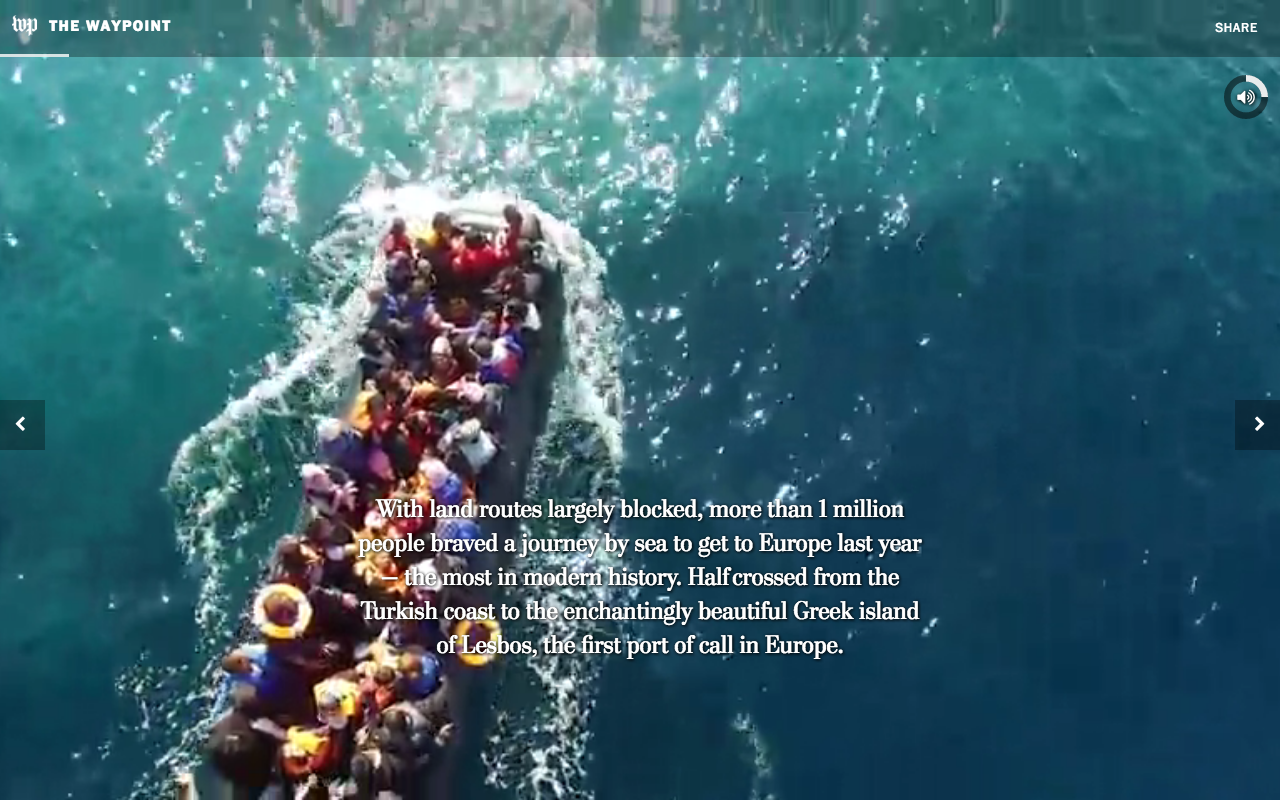
Samuel Granados, Zoeann Murphy and Kevin Schaul talk about The Washington Post’s two 2017 Digital Storytelling Contest winning pieces of work; A New Age of Walls (Innovative Storytelling, first prize) and The Waypoint (Innovative Storytelling, second prize).
The New York Times was recognized for their multimedia story “Snow Fall.” A lot has changed since 2012, but the story was pretty revolutionary at the time. It combined videos, photos, maps, audio, graphics and a tremendous amount of text. It also got millions of views in just a few weeks.
Al Tompkins created this video to show how the Las Vegas Sun told the story of hospital errors.
All students at the University of South Florida have free access to full Lynda.com courses. I encourage you to refer to the full courses. Some of the tutorials in this lecture show you key pieces of multimedia tutorials from Lynda.
You can use these tools on their own, but they become more powerful when used together on a website you can build on WordPress. Storify is a more simple, user-friendly digital storytelling tool so you may want to start there. But don’t be afraid to start your own WordPress website. There are lots of free templates that will make it easier even if you aren’t comfortable coding HTML. Just make sure you know if you’re using WordPress.org or WordPress.com. You can also subscribe to a business plan that gives you more plugin and template options for your multimedia site.
One of the best ways to sharpen your TV news skills is to watch and learn. Look for examples of award-winning stories. Find stories from different markets in different regions to get a wide variety of styles.
While you watch the following videos, pay attention to:
video angles
video framing
lead room and headroom
audio and silence
lighting
close-ups
emotion and how it makes you feel
story framing
sentence structure and script pacing
sound bites
editing
Digital Video Style
TV news stories tend to follow a specific template. Most stories that air on television broadcasts feel like they have a similar style. I’ve had managers who wanted to maintain this traditional style. I’ve also had others who challenged our creativity and were more flexible. Regardless of whether you plan to make news stories for TV or web, we have a lot to learn from one another. Take a look at some alternative styles and see if you can glean inspiration to make your videos a bit more unique.
Great Big Story is one of my favorite new companies. I encourage you to follow them on social media and check out their YouTube videos. Pay attention to their story choices, video production, video editing, audio/music, and text.
Let’s compare
Here’s an example of how they told the story of Mexican-American families separated by the border.
The company On Demand News told a similar story in a very different way. Take a look at the differences between the two stories. Look at the difference between the videography. How is their pacing different? How did each make you feel?
WFAA aired the story too. The story was the same, but it felt much different. Which story left you with a lasting impression? Which story evoked more emotion in you? Why?
Alright, this is the last one, I promise. Check out ABC News’ version.